
Engineering
3 Essential Mobile Application Architecture Principles: The Complete Guide to Building Scalable Apps
Learn Mobile Application Architecture principles, design patterns, and best practices to build scalable, secure, and high-performing mobile apps.
Introduction
No matter whether you use banking apps, delivery apps, fitness apps, or anything else on your mobile device, all these applications are easy to use. In most cases, a user clicks a button, waits for the screen to load, and gets whatever he/she needs from the app. However, there is a lot of hard work behind the scenes that makes these apps simple and convenient.
All the screens of an app, data requests, and logins depend on how the app was designed. Mobile application architecture is responsible for the way in which different components of an application are organized and for their interaction with one another.
The majority of businesses neglect architecture and proceed to coding right away. Everything goes well until the application becomes bigger and its performance starts deteriorating.
This guide will explain what mobile app architecture is, its components, popular design patterns, and how professional Mobile App Development helps create scalable and high-performing applications. This material is useful for both business owners who plan to develop their first app and software developers who want to refresh their knowledge.
What Is Mobile Application Architecture?
Mobile application architecture refers to all methods and principles used for organizing components of the application. It can be compared to a blueprint of a house – before even laying the first brick, the blueprint tells us where we should build the kitchen, where the pipes should go, and which walls should take all the weight. The software is similar.
Having a good mobile application structure helps to answer several questions prior to the process of developing:
Where is the user interface located? Where does it obtain its data from?
Where will we implement our business logic?
Where will we store data? How will it be cached and synchronized with the server?
How will we communicate between components without creating spaghetti code?
This way, developers will work faster, test the application better and won’t break three other components when trying to fix one of them.
Why the Structure Matters More Than You Think
Users don’t see architecture, but they feel it. An app with a good architecture works fast and doesn’t crash, while an app with poor architecture hangs and is uninstalled.
From the business perspective, good mobile app architecture design provides the following advantages:
Easier maintenance. Developers can spot bugs and make fixes without searching for code mess.
Faster feature releases. They can be implemented into a clear structure.
Lower long-term cost. Less rework means less money for updates.
Better teamwork. Proper distribution of responsibilities allows several developers to implement their parts.
Architecture is not a luxury from a technical perspective. It is what helps to keep the app healthy.
The Core Layers of Mobile Application Architecture
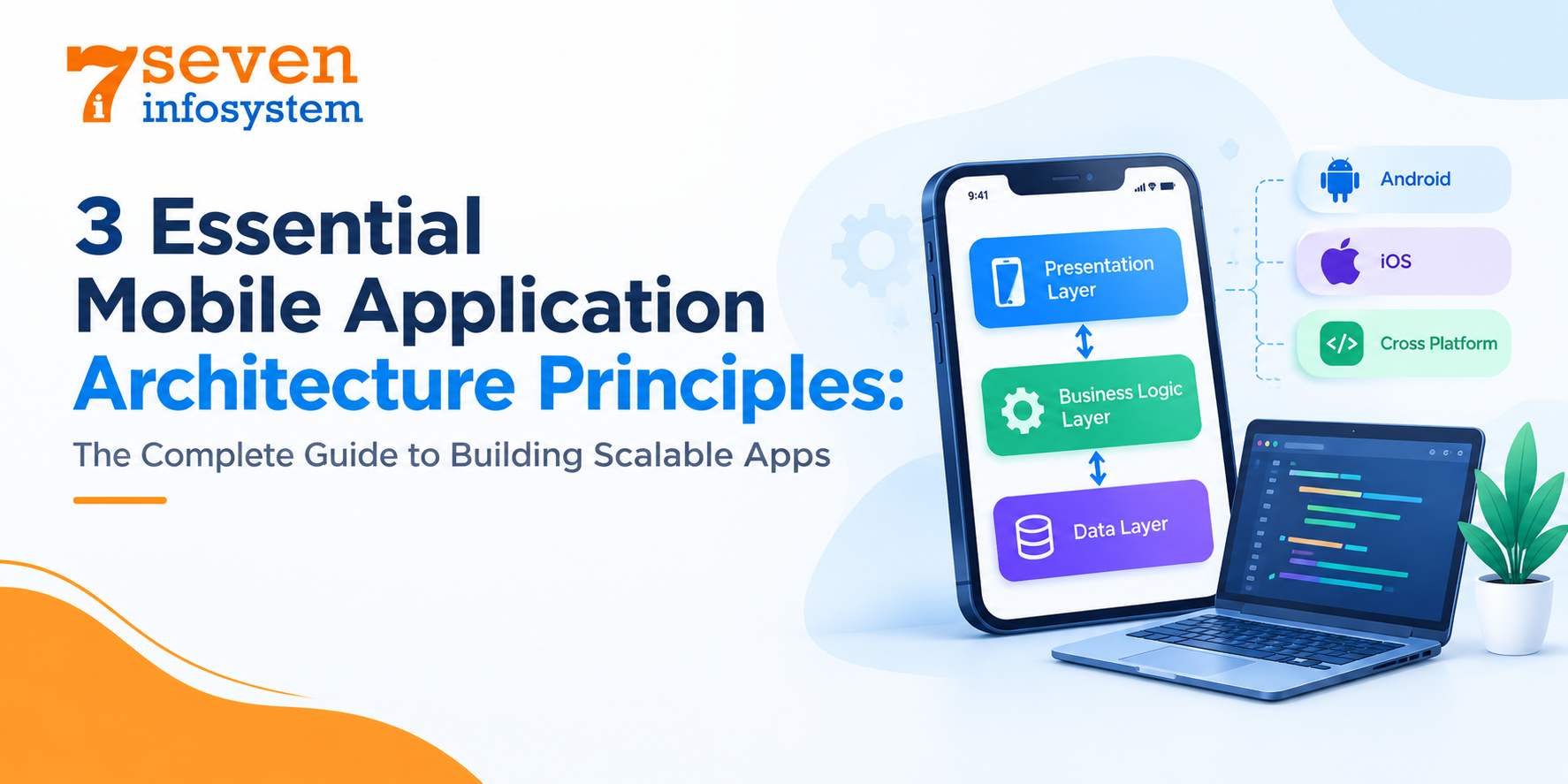
Modern applications usually have a layered structure. Every layer performs a distinct function and communicates with other layers only in proximity. The separation makes the code clean and facilitates testing processes. Although the specific architecture may differ from one mobile application to another, the typical architecture for mobile application development consists of three layers.
Presentation Layer
It is the interface that is visible to users – screens, buttons, menu items, animations, and forms. Its purpose is to provide a clear presentation and capture user actions.
A decent presentation layer has to be "thin". It cannot perform any calculations, validation or determine any business rules. It should only display the data and send user actions to the underlying layer. Good mobile app architecture allows the visual layer to remain separate from the core application, making it easier to implement effective UI/UX Design and improve the overall user experience.
Business Logic Layer
Also known as the domain layer, this is the brain of the app. This is where all of your application's rules reside. For instance, in a food delivery app, this would be the calculations of the delivery charges, opening hours of the restaurants, applying discount codes, and more.
Putting all the logic in one place ensures that the rules are consistent all throughout the application screens. When you have to change something about the discount policy, you do not need to go through a dozen files to find where it's defined.
Data Layer
The data layer is in charge of how the data is received and how the data is delivered. This refers to the local data storage of the device, caching for the offline usage, and communicating with the remote servers.
A good data layer abstracts all of that from the other layers. All your business logic needs is to ask for the data without being aware of whether it is coming from the local storage of the device or the remote servers.
Frontend and Backend Architecture: How the Two Sides Work Together
A connected application comprises two layers of architecture. The frontend works on the client's device while the backend functions on the server side which holds all the necessary data and handles complex processing. It is crucial to consider the interplay between the two architectures when studying the subject since it significantly affects the end-user experience.
While the frontend aims for quick response time, a sleek interface and performance, the backend prioritizes efficiency, accuracy and scalability. When designing the layers separately, a slow screen will be one of the consequences.
The Role of the Application Programming Interface
The connection between the two components is the application programming interface or the API, for short. It is a collection of predefined conventions that dictate the communication between the app and the server in terms of requesting information from each other.
Whenever you refresh your emails or your orders' statuses, your app makes a request through the API and receives the response from the server. A good API is one that is predictable, safe, and effective, returning only the necessary information to reduce load times and preserve mobile data.
The most common API styles are REST and GraphQL.
Mobile App Backend Architecture and the Cloud
A good mobile app backend architecture would consist of servers, databases, authentication, file storage, and means of pushing notifications. Traditionally, all of this was done using companies' hardware resources. Now, however, people choose cloud-based architecture for their applications.
Such platforms as AWS, Google Cloud, or Microsoft Azure allow increasing server power in case of traffic increase and scaling back otherwise. One is charged for the resources one uses, without managing any hardware infrastructure. There is also an option to use some managed services provided by these platforms for such needs as authentication, real-time databases, analytics, and others.
Sometimes, larger projects involve using microservices or serverless functions that work only when needed.
Popular Mobile Application Architecture Patterns
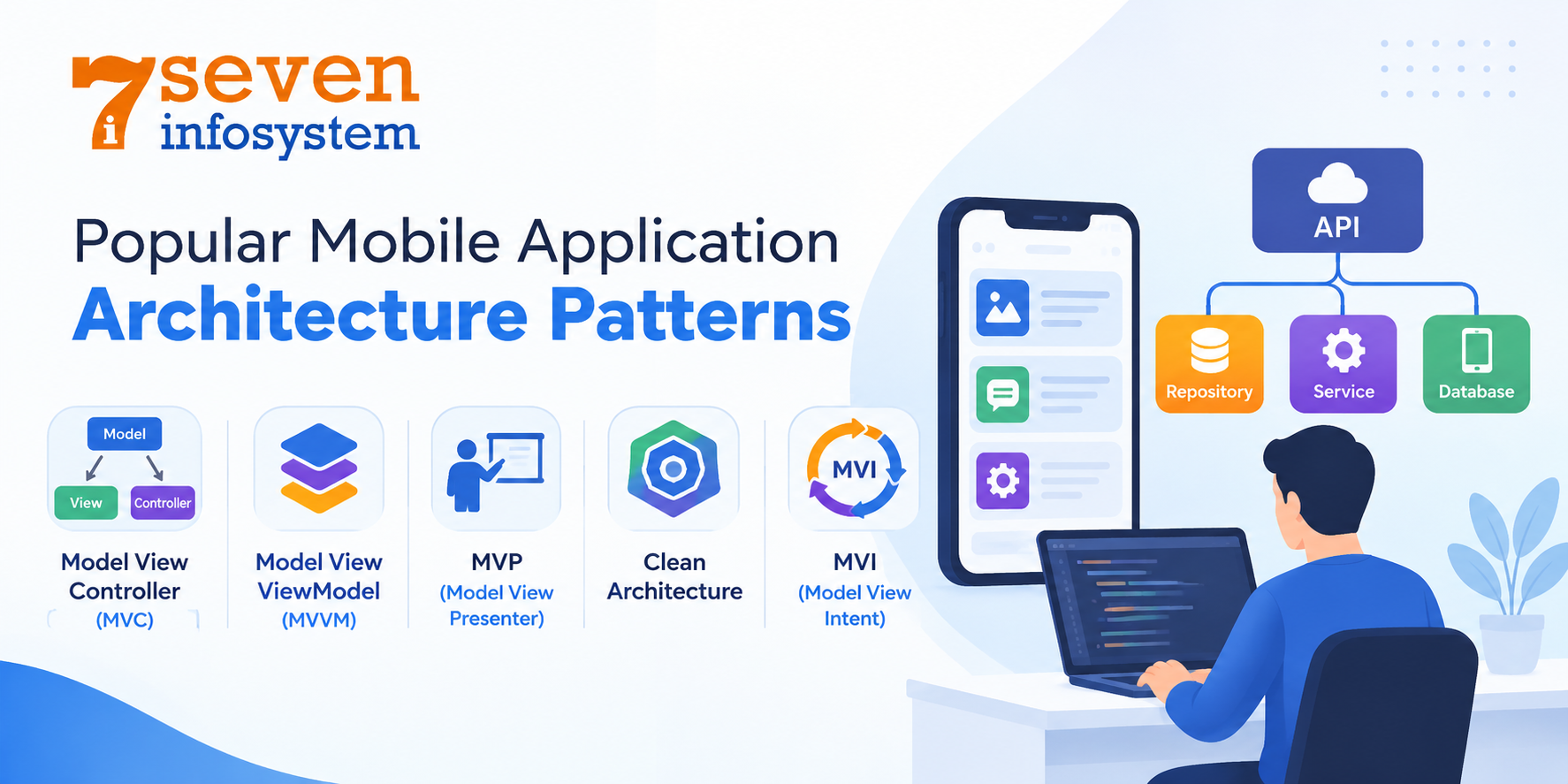
An architecture pattern is a tried-and-tested method of arranging the code. This provides both the developers with common terminology and a good basis for development. Below you will find the architecture patterns that you can encounter in mobile applications.
Model View Controller (MVC)
One of the oldest and best-known architectural patterns is Model View Controller (MVC). The application is divided into three layers:
Model: contains data and the logic related to it.
View: displays information for the user.
Controller: placed in between, takes care of user input, modifies the model and refreshes the view.
The biggest advantage of the MVC pattern is its intuitiveness and speed of implementation, therefore, the use of the pattern in small applications is reasonable. However, the biggest disadvantage becomes evident when the application becomes larger. Controllers acquire more and more responsibilities until they turn into giant, untestable files. This phenomenon is often referred to as "Massive View Controller."
Model View ViewModel (MVVM)
The Model View ViewModel (MVVM) architecture pattern was created to address some issues with MVC. In place of the controller, it uses the ViewModel, which serves as the source of data for the view.
In this case, the essential element is data binding. Any change in the ViewModel immediately reflects on the screen. The view does not care about the origin of the data, and the ViewModel does not care about the appearance of the screen.
The simplicity of the MVVM architecture pattern, as well as its high testability, made it the preferred choice of many Android and iOS development teams.
Other Patterns Worth Knowing
MVC and MVVM aren’t the only patterns worth considering. Some more include:
MVP (Model View Presenter): Similar to MVC, but here all the logic of UI is done by the presenter, which makes the view very passive and testable.
Clean Architecture: Consists of rings where the core business logic resides at the center of the project, and all the frameworks reside around. It’s very useful for long-term and big projects.
MVI (Model View Intent): Each user interaction is treated like intent here, and there is only one source of application state. It works really well for the complicated screens.
None of them can be called the best. The choice depends on the skill level of your team, time constraints and future size of the project.
Android and iOS Application Architecture
Though the fundamental concepts remain identical across all platforms, the tools and recommendations differ from one platform to another.
Android Application Architecture
Google has published official guidelines for Android application architecture, which largely relies on MVVM with a layered approach. Typically, developers use Android Jetpack, a set of libraries such as ViewModel, Room (local database), LiveData or Kotlin Flow (reactive programming), and Navigation (screen transitions).
The language used is Kotlin, while the interface development is done using Jetpack Compose. The advantage of following Google’s approach is that it will help in recruiting and future updates.
iOS Application Architecture
Until recently, iOS applications primarily followed the MVC (Model View Controller) pattern because Apple's UIKit framework is based on this architecture. However, as applications became more complex, developers increasingly adopted alternatives such as MVVM, VIPER, and Clean Architecture to avoid oversized controllers and improve code organization.
Moreover, the introduction of SwiftUI made reactive and state-based development much easier. For example, developers can now manage data flows more efficiently using Combine and Swift's async/await capabilities. Also, The Composable Architecture framework has become popular among companies that prefer structured, predictable, and reliable state management.
Cross-Platform Options
However, not all businesses are interested in developing their iOS and Android apps separately. For this reason, a cross-platform mobile application framework, such as Flutter or React Native, allows writing code only once but running it on both platforms.
Flutter applications often use BLoC or Riverpod for state management, while React Native teams frequently use Redux. Read our guide on Flutter vs React Native to understand their differences. Developing cross-platform solutions is cheaper and faster than creating native apps, although for some cases, the latter may be preferable.
How to Choose the Right Mobile Application Architecture for Your Project
Given so much variety, selecting an architecture may seem like a difficult task. However, there are some key questions that will definitely help to make the right decision.
Key Factors to Consider
App size and complexity. No need to choose the same architecture for a simple brochure-like application and for a complicated banking system. Choose what really suits your app.
Team skills. An experienced developer team will work more efficiently with a familiar architecture rather than with a trendy one.
Expected growth. If many features are going to be implemented or lots of users are expected, a good architecture should be built from the very beginning.
Offline needs. For applications used in locations without stable Internet connection, good local database management and synchronization is required.
Budget and timeline. More complex architectures are more time-consuming to implement. Sometimes it is reasonable to use a simpler solution from the business perspective if future opportunities are taken into account.
Building a Scalable Mobile App Architecture
A mobile application that can cope with 500 users may have issues when dealing with 500,000 users. And the difference between scalable mobile application architecture and a mobile application architecture that will require rebuilding lies in its scalability from the very beginning.
The practices that make apps scalable include:
Modular code. The app has to be divided into modules to allow independent work of separate teams.
Loose coupling. Separate components have to depend on interfaces and not on each other.
Scalable backend services. Cloud services that allow automatically coping with traffic increases.
Smart caching. Data that is used often can be stored locally.
Automated testing. Clean architecture allows easily testing each layer of the app, thus identifying issues beforehand.
Keeping Security in Mind
A properly architected app ensures that sensitive data is stored in an encrypted format in the storage of the user’s device, as well as during transmission via network connections. Secure API calls must be made using tokens and other forms of authentication. It is crucial to avoid putting any credentials or API keys inside an app.
Also, it is vital to do validation of all data on the server side as well as to follow best practices, such as OWASP Mobile Top 10 guidelines. When security practices are implemented across all layers of an application, it will be significantly harder for hackers to detect vulnerabilities.
Performance From the Ground Up
The users of an app expect that the app launches instantly and responds almost immediately to their requests. An optimized performance of an app heavily relies on its architectural implementation. Intensive operations like image processing and downloading of huge amounts of data must be performed by background threads.
Practices such as lazy loading, image compression, reduced network calls, and performance monitoring help improve application efficiency. Explore the latest Mobile Application Development Trends to understand emerging technologies and optimization practices.
Where Architecture Fits in the Mobile App Development Process
It should be noted that architecture does not represent an independent process that can be implemented once and never revisited; rather, architecture is an important component of all stages of the mobile application development process:
Discovery and planning. Team members set goals, users, and functionalities of the future app, and outline its general architecture.
Design. UI/UX designers create user interface elements while architects define the layers of the app, data flow and API requirements.
Development. Developers implement the respective layers using the architecture pattern that was selected.
Testing. Layered architecture provides opportunities to conduct unit tests, integration tests and UI tests.
Launch. Backend systems are prepared for the actual work under load.
Maintenance and growth. The feedback from users will allow extending the app functionality easily.
Conclusion
The Mobile Application Architecture is the silent but powerful backbone of every successful application. It determines how quickly an app performs, how securely it protects user data, and how easily it scales. Moreover, the right architecture helps control development costs and ensures long-term stability.
However, every project requires a different architectural approach. For example, a small startup application may work well with the MVC pattern, whereas complex e-commerce or fintech applications may benefit from MVVM, Clean Architecture, and cloud services. Therefore, choosing the right architecture depends on your project requirements, business goals, and expected growth.
Finally, investing in a well-planned mobile application architecture from the beginning is one of the smartest decisions you can make because it saves time, reduces future development challenges, and supports long-term success.
FAQs
1. What is mobile application architecture in simple terms?
It's the blueprint that defines how an app's parts are organised and how they communicate, from the screens users see to the servers storing data.
2. Which is better, MVC or MVVM?
MVC is simpler and suits small apps, while MVVM offers cleaner separation and easier testing, making it a better fit for medium to large projects.
3. Do Android and iOS apps use the same architecture?
The core ideas are the same, but each platform has its own recommended tools, such as Jetpack on Android and SwiftUI with Combine on iOS.
4. Why is cloud-based backend architecture so popular?
It scales automatically with demand, reduces hardware costs, and offers ready-made services for storage, authentication, and notifications.
5. Can I change my app's architecture later?
Yes, but it's often time-consuming and costly, so it's best to plan a flexible structure early and refine it gradually as the app grows.