Engineering
Best SaaS vs. PaaS vs. IaaS: The Ultimate Guide to Cost, Security, Scalability and Performance
Compare SaaS vs. PaaS vs. IaaS to understand cloud costs, security, scalability, and performance and choose the right model for your business.
Introduction
SaaS vs. PaaS vs. IaaS is an important comparison for businesses planning to use cloud technology. Although many business owners talk about “the cloud,” they may understand it differently. For some, it means the email application they open every morning. For others, it is a platform developers use to build and deploy applications. Meanwhile, IT professionals may see the cloud as renting servers and storage on demand.
All these definitions are correct because cloud computing is not one particular solution. Instead, it is a technology stack with different layers. Each layer offers a different level of control, responsibility, flexibility, and cost through modern cloud computing solutions.
These layers are known as cloud service models. The three primary models are Software as a Service (SaaS), Platform as a Service (PaaS), and Infrastructure as a Service (IaaS). Understanding SaaS vs. PaaS vs. IaaS helps businesses identify which model best matches their technical requirements and goals.
Choosing the wrong cloud model can increase expenses because your business may pay for features it does not need. Additionally, your team may have to manage technical responsibilities beyond its expertise. However, selecting the right model can reduce costs, improve productivity, and support business growth.
In this guide, we will explore all three cloud service models and explain how they work. We will also compare their costs, security, scalability, and performance. Finally, you will understand the key differences between SaaS, PaaS, and IaaS and how to choose the right option for your business.
Understanding Cloud Computing Service Models
It would be easier to understand the comparison if we first look into the relationship between the three models. A convenient representation of cloud computing service models would be a pizza.
On-premise would mean making pizza at home. The oven, ingredients, and table are purchased and the cooking process is done by you.
The IaaS model means renting the kitchen which already has an oven and the space where you cook the pizza by yourself.
PaaS is making pizza at a take and bake shop. Dough and toppings are prepared already. You just put what you want and bake.
SaaS would mean ordering pizza in a restaurant where you can order, eat, and walk out. Everything is taken care of by someone else.
As you get closer to SaaS, the customization becomes smaller and easier. As you get closer to IaaS, the customization increases together with the management responsibilities.
What Is Software as a Service (SaaS)?
A service that offers ready-to-use software that is delivered over the Internet is software as a service. Nothing is needed to be installed on your servers. Just sign up, log in via a browser or mobile app, and you will be able to use it. All hosting, upgrades, patches, and backups will be provided by the company.
People usually use this software without even realizing that it belongs to SaaS. Email software, video conferencing services, cloud accounting apps, and CRMs are good examples of such software. The payment for such services is usually made by users per month or year.
What Is Platform as a Service (PaaS)?
When we talk about Platform as a Service, we are referring to a ready-made development environment that allows businesses to build, test, and deploy applications through professional software development services without dealing with hosting or installation issues. Your team will need to deal only with developing and managing the database.
One can say that PaaS is a development platform of applications located in the cloud. It removes the tedious setup work, so a small team can launch a working product much faster than if they had to configure every server by hand.
What Is Infrastructure as a Service (IaaS)?
Infrastructure as a service is the most fundamental level of the cloud. You will have access to your infrastructure in the form of computing power, storage, and networking in return for a fee. On top of that, you will deploy your own operating system, middleware, and applications.
It is just like a data center without the building that houses it. It is best for businesses that wish to have complete control over their infrastructure without purchasing any hardware.
SaaS vs. PaaS vs. IaaS: Key Differences at a Glance
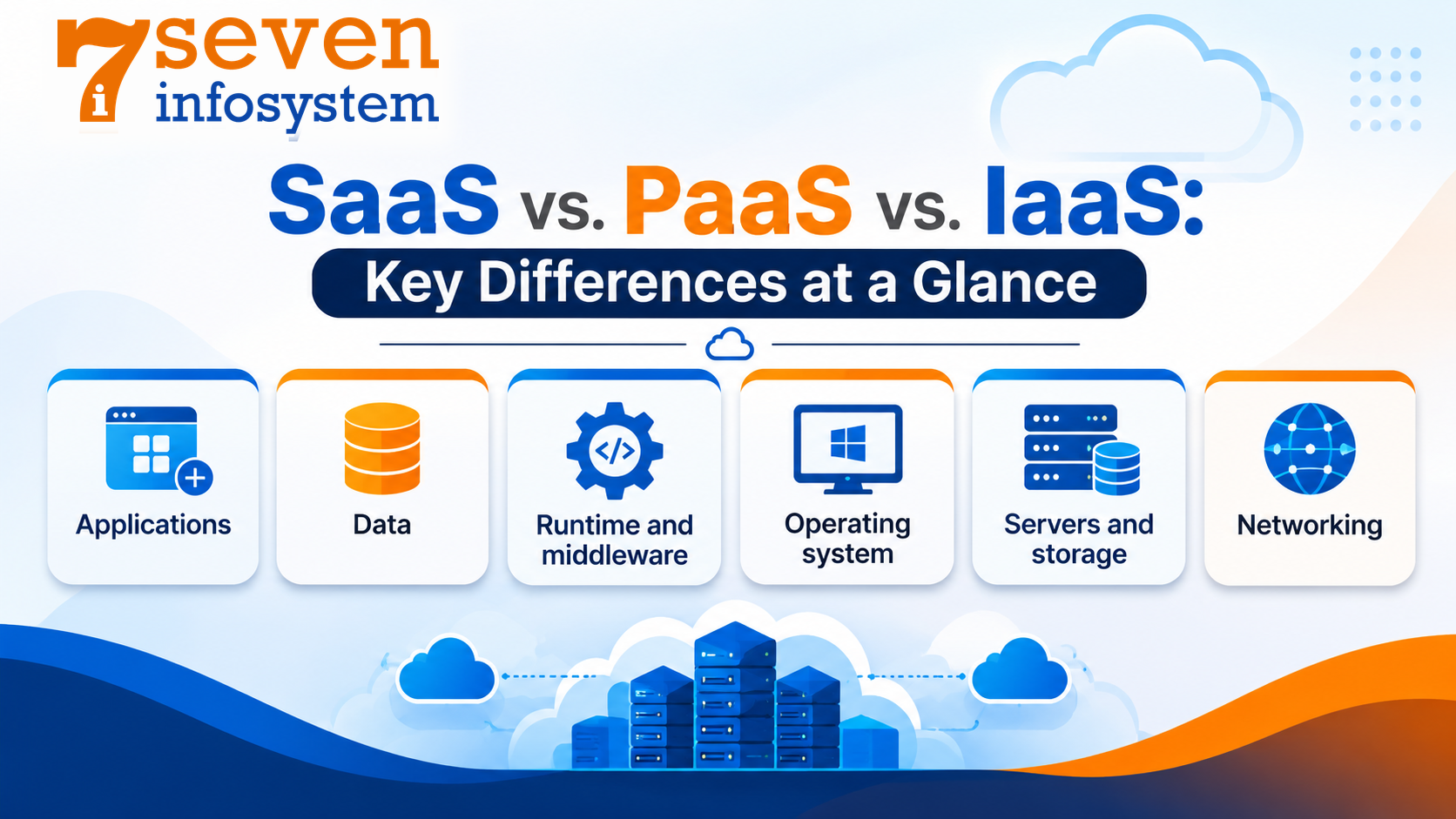
The core difference between SaaS, PaaS and IaaS comes down to one question: who manages what?
Layer | SaaS | PaaS | IaaS |
Applications | Provider | You | You |
Data | You | You | You |
Runtime and middleware | Provider | Provider | You |
Operating system | Provider | Provider | You |
Servers and storage | Provider | Provider | Provider |
Networking | Provider | Provider | Provider |
Be aware that your data will always be your own regardless of which model you use. This statement is important when discussing the security topic.
Who Each Model Is Built For
The distinctions between the SaaS, PaaS, IaaS models are evident in the following description of their typical users:
The SaaS model is designed for end users and business teams requiring an easy solution.
The PaaS model is developed for developers that want to develop their apps without dealing with servers.
The IaaS model is intended for IT and DevOps teams seeking full control of their environment.
Real-World SaaS, PaaS, IaaS Examples
Next, here are the examples of popular SaaS, PaaS, IaaS services to give a better understanding:
SaaS: Google Workspace, Microsoft 365, Salesforce, Slack, Zoom, Shopify
PaaS: Heroku, Google App Engine, AWS Elastic Beanstalk, Microsoft Azure App Service
IaaS: Amazon EC2, Google Compute Engine, Microsoft Azure Virtual Machines, DigitalOcean Droplets
Most large companies provide all of these types. For instance, AWS offers not only servers but also software products in its portfolio.
SaaS vs. PaaS vs. IaaS: Cost, Security, Scalability and Performance Compared
And here comes the part that really matters for the decision-makers. This comparison will show the performance of each model regarding the four most important factors.
Cost Comparison
A good comparison of cloud computing costs takes into consideration not only infrastructure expenses but also the cost of professional custom software development and ongoing maintenance.
SaaS is the best regarding the predictability of costs. You pay a monthly subscription per one user, and this is all you have to do. There is no need to buy any equipment and there is no need to employ any IT staff to maintain the system. The problem is that costs increase constantly as the number of users increases and sometimes you end up paying for the services you don't use at all.
PaaS usually uses a resource-based pricing model where you are charged according to the compute cycles, storage and network usage. It saves plenty of money spent on development since no setup or maintenance is necessary. However, costs increase fast as the application grows and it becomes quite costly to switch from the platform.
IaaS adopts a pay-as-you-go pricing model for the raw resource. It can potentially be the most economical of all three models on a per unit basis of computing power. However, it also requires expertise to set up, maintain, and oversee all the systems involved. Leaving these servers powered even when not required drives up costs tremendously.
The true value of the cloud computing cost reduction models lies in the fact that there are no significant upfront investments in hardware and that one is billed for the actual consumption of services. The challenge is choosing the right model according to your skills.
Security Comparison
The security of cloud service follows a concept known as shared responsibility model. There are certain layers that the provider is responsible for securing and others you are responsible for securing. The division depends on the model used.
SaaS: The provider is responsible for the security of everything from the software itself, the server to the network. Your work will be focused on managing the users access, enforcing strong password requirements, enabling multi-factor authentication and managing the data access.
PaaS: The provider secures the infrastructure and platform whereas the code you write, the application configuration, and data security are your responsibility.
IaaS: The provider secures the physical data center and the hardware. Everything else such as operating systems patches, firewalls, encryption and access policies are your responsibility.
Having greater control implies greater responsibilities. You have full control in creating the security structure you want in IaaS, something that is important in cases where there are compliance requirements but even the slightest mistake such as exposing your storage bucket can make your sensitive data available. The SaaS model is easy to secure for non-tech people.
Scalability Comparison
Scalability is one of the key factors driving companies towards cloud adoption, especially when building scalable web applications that can handle growing traffic and business requirements.
Scaling of SaaS is straightforward. Need ten more users? Just buy ten more licenses. The provider takes care of extra loads at his end. The downside is that you can only scale the number of users within the framework provided by the product.
Scalability is inbuilt into PaaS offerings. A lot of platforms automatically provision additional resources as the traffic increases and take them away as the traffic decreases. This type suits applications which have a hard-to-predict usage pattern, such as booking services in holiday season.
The most scalable is IaaS but you have to be able to provision resources, set up the appropriate load balancer, and monitor everything yourself.
Performance Comparison
Performance is defined by the degree to which you can configure your environment.
When using SaaS, the performance of applications is defined by how the vendor provides it. Well-known service providers provide their customers with high-performance and reliable services, but there is no possibility to modify the configuration if it is not satisfactory.
PaaS provides good performance without any modifications of its default settings. It is still possible to select the size of an instance and region, but the operating system and hardware configuration cannot be modified.
IaaS allows controlling processors, memory, types of storages and networks. When it comes to processing big data or machine learning, IaaS might be the best solution.
Where Each Model Fits in Cloud Computing Architecture
Any modern cloud computing architecture works on a layered approach, and three models correspond perfectly well to these layers. Physical servers, storage, and network make up the foundation, which you can access using IaaS. With PaaS, you can go one layer above and get an operating system, runtime, and development environment. Finally, SaaS is positioned at the highest level as a ready-to-use service.
Multiple models can be used by one enterprise; for example, a company may use SaaS for email services, PaaS for their application for customers, and IaaS for legacy databases.
How Cloud Deployment Models Fit In
It's common to confuse service models with deployment models. However, service models define what is delivered (software, platform, or infrastructure), while deployment models define the environment it is deployed on and its sharing:
Public cloud: Resources shared among multiple customers. This type of cloud is provided by AWS, Azure, Google Cloud, etc.
Private cloud: dedicated only to a particular user or company.
Hybrid cloud: mixture of public and private, of cloud and on-premises.
Multi-cloud: use of more than one public cloud provider in order to decrease dependence on a particular vendor.
Any service model can be combined with any deployment model, thus you can deploy IaaS in your own private cloud and use some public SaaS applications for your everyday work.
Cloud Infrastructure Services and Solutions
When mentioning cloud infrastructure services, most often it refers to the IaaS layer, which includes computing, storage, network, and management tools. Providers provide more comprehensive cloud infrastructure solutions consisting of cloud infrastructure services plus backup, disaster recovery, monitoring, and security capabilities. Such solutions are extremely beneficial for businesses that already grew beyond their internal data centers but do not want to lose control over the systems.
Choosing the Right Cloud Service Model for Your Business
This is subjective; the proper cloud service model will depend on your business goals, budget, skillset, and level of control you require. Below is a useful framework to help you make this decision.
When SaaS Makes Sense
Go with SaaS if:
You require a commonly used application such as email, accounting, and project management software.
You don’t have an IT department within the company.
You want the solution up and running within days rather than months.
Fixed monthly costs are more important to you than flexibility and customization.
When PaaS Makes Sense
Choose PaaS if:
You are developing a custom application.
You require your developers to develop your code only without worrying about server administration.
You want a fast launch of your application, but it can easily scale when necessary.
You need additional capabilities for testing, database management, and deploying your code.
Due to its ease of use and development speed, PaaS is increasingly becoming the choice of many for cloud-based application development. Startups and product teams love it for exactly that reason.
When IaaS Makes Sense
Pick IaaS if:
Require complete control over OS and configurations.
Want to migrate applications from on-premise data centers.
Need specialized processing requirements.
Have stringent compliance requirements which require certain security configurations.
Have people in your organization who know how to do DevOps in the cloud.
Questions to Ask Before You Decide
Take some time with your team and answer these questions before making any decisions:
Which problem are we actually solving?
What level of expertise do we have within our organization?
What type of sensitive data do we handle?
Is the usage going to increase in a consistent manner or not?
How much does it cost to change the vendor at a later stage?
Your answers should lead you to one or more models that fit well for you.
Enterprise Cloud Solutions: Combining All Three
Large businesses tend not to use only one approach. In fact, most enterprise cloud services combine all three approaches – SaaS, PaaS, and IaaS – to cover different departments within a business. The sales team may be using a SaaS CRM service, the developers may develop software using a PaaS platform, and the IT team may use IaaS for their analytics.
It can become very difficult to ensure seamless integration and efficient use of services while ensuring proper security. The key practices here include:
Central identity management: Use single sign-on so employees have one secure login across tools.
Cost tracking by team: Tag resources so you know which department is spending what.
Consistent security policies: Encryption policy, access rights and monitoring must be applied consistently in all models.
Understanding the strengths of each layer, and the full range of cloud computing models available, helps enterprises avoid overspending while still giving every team the tools it needs.
Common Mistakes to Avoid
A few traps catch many businesses:
Choosing on price alone. The cheapest option on paper can cost more once you add staff time.
Neglecting the problem of lock-in. Be aware from the get-go how easy it will be to leave the data/code behind.
Leaving resources running. Idle servers and forgotten test environments quietly drain budgets, especially with IaaS.
Conclusion
SaaS, PaaS, and IaaS do not compete with one another. Instead, they represent different layers of the same cloud architecture. Each model serves a specific purpose. SaaS provides users with ready-to-use software, while PaaS helps software engineers build, test, and deploy applications quickly. Meanwhile, IaaS offers greater control over the underlying infrastructure.
When comparing these cloud service models, businesses should consider several important factors. First, cost involves more than just pricing plans. It should also include the manpower required to manage daily operations. Similarly, security is a shared responsibility because each model assigns different levels of control to the provider and the customer. Therefore, the more responsibilities your business handles, the more security measures it may need.
All three models offer scalability and performance capabilities. However, their customization options differ. As businesses move from SaaS towards IaaS, they gain greater control over configurations and infrastructure. For example, SaaS offers limited customization, whereas IaaS allows businesses to configure resources according to their specific requirements.
Ultimately, the best approach is to combine all three cloud service models based on your business needs. Use SaaS for everyday business applications, choose PaaS for developing custom applications, and adopt IaaS when deeper infrastructure control is necessary. Before making a decision, evaluate your requirements, budget, and available technical expertise. This will help you select the right solution more confidently.
Finally, if you are unsure which model to choose, an experienced cloud service provider can help. They can recommend and implement a solution that matches your budget, technical capabilities, and long-term business goals.
FAQs
1. Which is cheaper: SaaS, PaaS, or IaaS?
It depends on your needs. SaaS is usually cheapest for small teams using standard tools, while IaaS can be most cost-effective for large, well-managed workloads.
2. Which cloud model is the most secure?
None is automatically more secure. SaaS is easiest to secure for non-technical teams, while IaaS offers the most control for strict compliance needs.
3. Can a business use SaaS, PaaS, and IaaS together?
Yes, and most do. Combining them lets each team use the model that suits its work best.
4. Is PaaS good for startups?
Very much so. It lets small teams build and launch apps quickly without hiring server specialists.
5. Can I switch from one cloud model to another later?
Yes, but it can take time and money. Planning for data portability from the start makes any future move much easier.