Engineering
What Is Cloud Migration? A Complete Guide for Modern Businesses
Discover cloud migration, its benefits, strategies, tools, and steps to help businesses improve security, scalability, and operational efficiency.
Introduction
Just a few years ago, most businesses used the servers located in their back office space to store all their software, files, and client data. These systems had to be cooled down, monitored, and upgraded to avoid any failures during weekends. This traditional approach to business operations is still applicable, however, fewer and fewer businesses use it nowadays.
The reason for it is obvious. Clients need instant and permanent services; people collaborate across the globe, and old-fashioned IT equipment is not able to cope with the increasing load anymore. Cloud computing allows organizations to expand their activities without purchasing additional servers whenever demand increases. With the right custom software development services, businesses can also build scalable digital solutions that support their growing operational needs.
Have you heard about cloud migration, want to know everything about it, including how to migrate to the cloud, what approaches you can use, what software to apply and how not to break anything during migration? This article will help you to understand the basic concepts, learn about approaches and software available and provide useful tips on cloud migration.
What Is Cloud Migration?
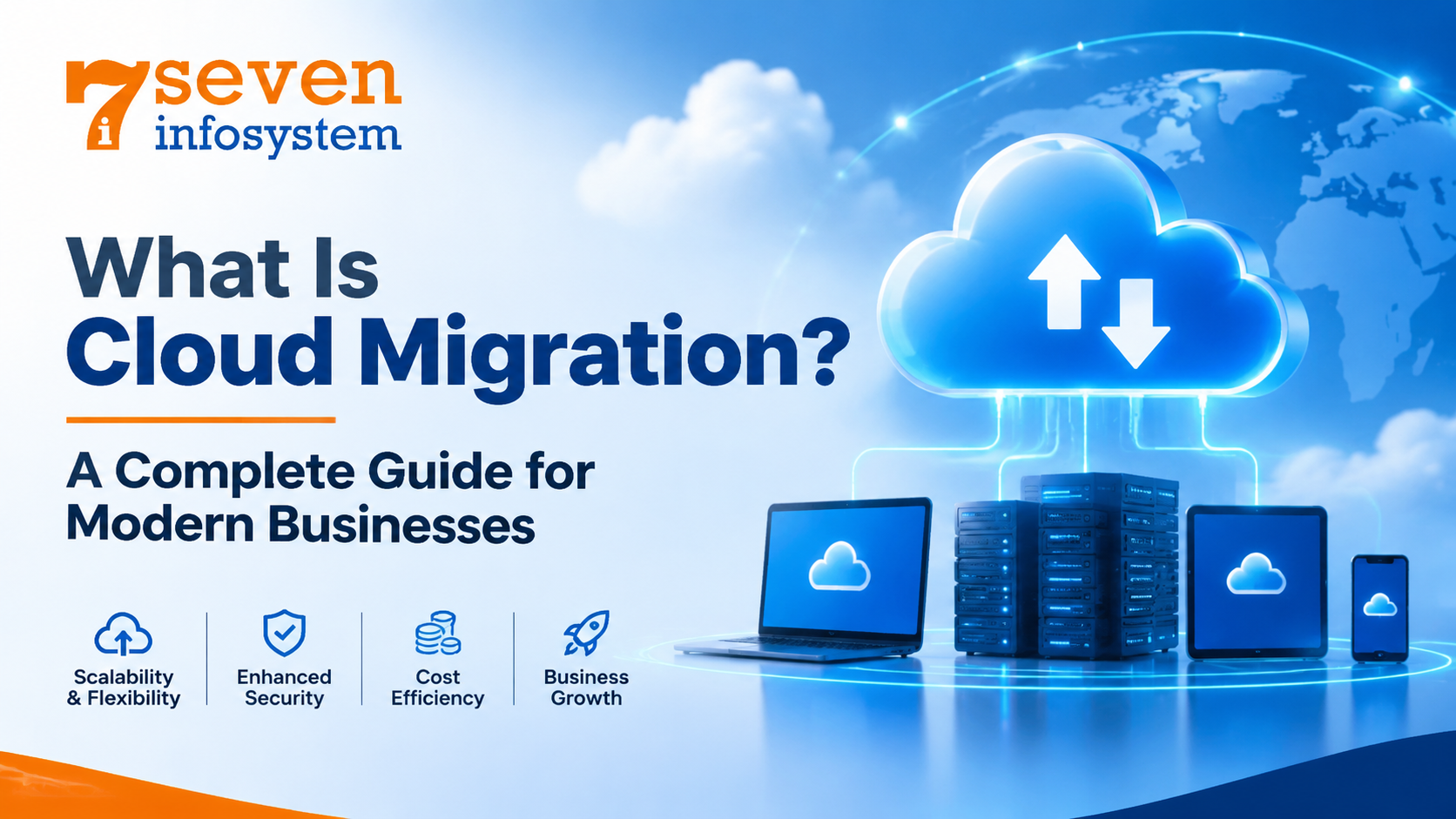
Cloud migration is the process of transferring your digital assets, including applications, databases, files, and other IT resources, from on-site servers to a cloud computing environment. Additionally, it can involve moving data and workloads from one cloud platform to another or between private and public clouds. Businesses may also need professional software development services to modify existing applications and ensure they work efficiently in the new environment.
For example, imagine you have decided to move to a new home. You would not randomly load everything onto a truck and drive to a different location. Instead, you would sort your belongings, remove unnecessary items, and purchase new things if needed. Similarly, cloud migration requires careful planning because businesses must evaluate their existing systems, identify what needs to be moved, and prepare everything for the new cloud environment.
How Cloud Migration Works in Simple Terms
Migration involves transferring an application running on your hardware to the infrastructure of a cloud service provider. Instead of purchasing and maintaining physical servers, you lease computing resources according to your business needs. As a result, you can increase or reduce resources whenever required.
After migration, the cloud provider manages most of the physical infrastructure for you. For example, the provider takes care of servers, electricity, cooling, and data center security. Additionally, your business can focus more on daily operations and application performance rather than maintaining physical hardware.
Types of Cloud Environments
Before deciding on moving to a new environment, it is useful to learn some basic information about potential destinations:
Public cloud: This type of cloud infrastructure is managed by the vendor (Amazon Web Services, Microsoft Azure, Google Cloud). It operates on a pay-for-use principle.
Private cloud: Private cloud means setting up cloud infrastructure exclusively for a company's use. Such an environment can be managed either by a company itself or by a third party.
Hybrid cloud: The type that combines both on-premises systems and a public/private cloud. This solution is often used initially as it allows for a gradual transition.
Multi-cloud: Using services from more than one provider to avoid relying on a single vendor.
There are no definitive solutions here. The best choice is determined individually based on budget and compliance requirements.
Why Businesses Are Moving to the Cloud
Besides eliminating the costs of purchasing servers, there are other advantages of migrating to the cloud.
Lower and More Predictable Costs
Whereas on-premises systems require huge upfront costs on servers that end up being idle much of the year, cloud computing requires pay-per-use costs. Therefore, not only do you pay for what you use but you also prevent the hidden costs that come with breaking down of old equipment.
Scale Up or Down Whenever You Need
When conducting a campaign or selling a new product, cloud computing allows you to scale up resources quickly when needed, and scale down when usage reduces.
Stronger Security and Compliance
Big cloud vendors invest in extensive security measures, far more than any business would be able to do on its own. Providers of cloud computing provide encryption, identity management, threat detection, auditing tools, among others. However, security is a collective responsibility. Proper cloud security management on your part is required, including managing access rights and monitoring the activities within the system.
Reliable Backup and Disaster Recovery
Hardware crashes, floods, and ransomware attacks have the ability to wipe out any local data within seconds. With cloud backup and recovery, there are multiple copies of your data stored in different places, thus, in case of any issues, it is easier for you to restore systems immediately. For a lot of small and medium-sized businesses, this is enough to migrate to the cloud.
Better Collaboration and Remote Work
With cloud computing, you can access your files and applications from everywhere through the use of a secure Internet connection. There are a variety of cloud computing software solutions such as collaboration suites, CRMs, and project management tools that help remote workers collaborate effectively.
Faster Innovation
Cloud computing provides developers with ready-made services for analysis, machine learning, and automation. Moreover, businesses can combine these technologies with AI development services to create smarter applications, automate workflows, and improve operational efficiency. It becomes possible to try ideas much faster and to make updates frequently. That is why cloud computing application development became the go-to option for new software products.
Choosing the Right Cloud Migration Strategy
There is no one-size-fits-all migration strategy. Your choice depends on the age of the system in question, its importance to your business processes and objectives after migration.
The strategies are usually classified according to what is called the "6 R's" by most experts. Let's define them all in plain language.
1. Rehost (Lift and Shift)
The application is transferred to the cloud without making any changes to the existing configuration. This is the fastest and easiest way to proceed. Also, this method is perfect when it is necessary to quickly abandon an old data center. The disadvantage lies in the fact that initially you do not utilize all the opportunities provided by cloud computing technology.
2. Replatform (Lift, Tinker, and Shift)
It involves minimal modifications during the transition, for example, changing the database to manage one or the operating system. In other words, you get certain cloud computing benefits but don't have to rewrite the application completely.
3. Refactor (Re-architect)
This approach implies re-creating the application from scratch, designing it as a cloud-native system. This requires the most resources but at the same time provides the highest benefits in terms of speed, scalability, etc.
4. Repurchase
You abandon your old system and move to a ready-made SaaS solution instead. For instance, you can replace a self-hosted email server with a cloud-hosted email system.
5. Retain
There will be some systems that aren’t quite ready for transition or there’s no compelling reason to move them just yet. Such systems remain untouched until further notice.
6. Retire
In the course of your review, you’ll probably come across some unused software. Disposing of it will save costs and cut down the scope of your migration process.
The majority of organizations use all of these strategies in one way or another. A comprehensive cloud migration strategy basically implies that you’ve made a choice on how to proceed with each system individually.
The Cloud Migration Process: Step by Step
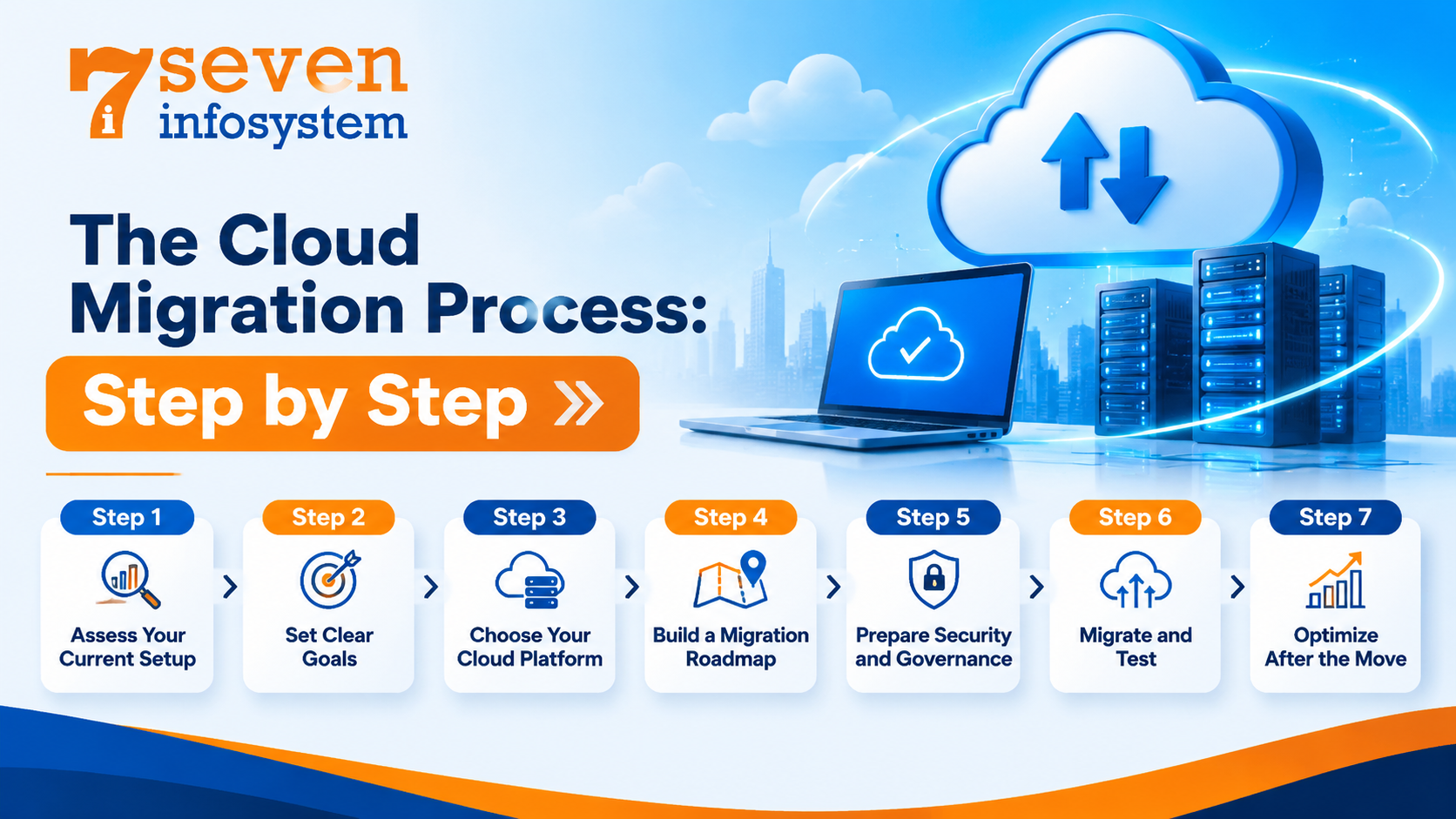
A smooth move rarely happens by accident. It comes from careful cloud migration planning and a steady, phased approach. Here's what a typical cloud migration process looks like.
Step 1: Assess Your Current Setup
Start by listing every application, database, and server you run. Note how each one connects to others, how much it's used, and how important it is to the business. This inventory shows you what's worth moving and what could be retired.
Step 2: Set Clear Goals
Are you trying to cut costs, improve performance, support remote teams, or meet compliance rules? Write down specific goals. They'll guide every decision you make later and help you measure success.
Step 3: Choose Your Cloud Platform
Evaluate the different cloud computing platforms on price, services offered, regional data centers, and support. Consider the capabilities of your team because sticking close to what they know will keep training time low.
Step 4: Build a Migration Roadmap
Organize your applications into waves. Begin with lower-risk applications so that your team has experience resolving problems before migrating more important workloads. Establish deadlines, define the ownership of each task, and determine how you'll handle rolling back.
Step 5: Prepare Security and Governance
Prior to the migration, create security roles and permissions, define resource provisioning policies and access control rules, and configure monitoring. Determine who will have access to the infrastructure and how costs will be measured.
Step 6: Migrate and Test
Migrate each wave of applications and test them extensively. Look at performance, integrity of your data, and interactions with other applications. Running the old environment side-by-side with the new one temporarily is a good strategy for avoiding any issues.
Step 7: Optimize After the Move
Migration does not mark the end of the process. Once systems have been migrated, regular usage audits should be conducted to ensure proper sizing of servers, termination of unused servers, and automation of tasks. It is here that savings can really be made.
Popular Platforms and Cloud Migration Tools
The right tools can help you avoid weeks of work and minimize the possibility of losing data. This section will give you an idea of which platforms and tools are usually employed by businesses.
AWS Cloud Migration
Being one of the leaders among service providers, Amazon Web Services provides a number of aws migration services, such as Migration Hub, Application Migration Service, and Database Migration Service.
Microsoft Azure and Google Cloud
The platforms that are aimed at supporting Microsoft applications are Azure Migrate. The other popular providers of cloud computing are Google Cloud and its Migration Center.
Other Useful Tools
In addition to the platforms described above, there are third-party cloud migration tools available. They can be used for discovery, data transfer, cost estimation, and monitoring purposes. There are also migration tools that specialize in application dependency mapping; this functionality can be especially useful during the assessment phase.
When picking tools, look for ones that support your current systems, offer clear reporting, and fit your team's skill level.
Common Challenges and How to Handle Them
Even well-planned moves run into bumps. Knowing the usual problems ahead of time makes them easier to manage.
Downtime and Business Disruption
Nobody wants their website or ordering system to go offline. To reduce risk, migrate during low-traffic hours, move in small batches, and keep a tested rollback plan ready.
Unexpected Costs
Cloud bills can climb quickly if resources aren't monitored. Set budgets and alerts from day one, tag resources by team or project, and review spending every month.
Skills Gaps
Your IT team may be experts in on-premise systems but new to cloud environments. Training, certifications, or outside help can close that gap quickly.
Data Security During Transfer
Data is most exposed while it's moving. Use encrypted connections, verify data after transfer, and limit who has access during the migration window.
Compatibility Issues
Older applications don't always run well in the cloud. In these cases, replatforming or refactoring may be needed, or you may choose to keep that system on-site for now.
How to Choose the Right Cloud Partner
There are many cases when organizations deal with small migrations alone. In complex situations, professional assistance is the most effective and affordable solution for companies. Professional cloud migration services may provide your business with assessment, migration plan, execution, and post-migration support to free up your resources to manage other tasks. Choosing an experienced software development company can also help you build, maintain, and improve digital solutions according to your business requirements.
Here is what to pay attention to while choosing cloud migration services provider:
Proven experience: Make sure they have some case studies of projects that resemble yours in terms of the organization size and industry.
Platform expertise: Check whether they have certifications for the platform you want to use.
Security focus: They need to be clear about how they guarantee your data safety during all phases of migration.
Clear pricing: Do not accept vague quotations; you need to get precise information about each phase of migration and its cost.
Ongoing support: The best providers help you to optimize and manage your environment further.
Good providers do not try to convince you that there is only one migration strategy. On the contrary, they advise the optimal cloud migration solutions. Besides, they offer managed cloud infrastructure services.
Is Cloud Migration Right for Your Business?
Cloud migration for business organizations is no longer something only the big companies can afford to think of. This is something that the startups, retail shops, travel firms, medical facilities, and even manufacturers are opting for. If the below-listed situations are relevant to your organization then it’s high time to look into the cloud migration for your company:
Your servers are old enough and need to be replaced soon.
Your websites and applications take a lot of time to respond during busy times.
Your employees need access to your systems regardless of the location they work from.
You have concerns regarding the loss of your data due to hardware failure or cyber attacks.
You wish to make use of advanced technology such as analytics, automation, or artificial intelligence.
Moving to a cloud-based infrastructure gives you the flexibility to adapt as your business changes. You can start small, learn as you go, and expand when you're ready.
Conclusion
Migration to the cloud is no longer a trend exclusive to big companies. Instead, it has become a practical choice for any business that wants to remain flexible, secure, and future-ready. Whether you choose a simple migration approach, such as lift-and-shift, or completely redesign your systems, proper planning, the right tools, and realistic expectations are essential for a successful transition.
Firstly, understand your existing infrastructure and define what success will look like after migration. Then, move your applications gradually to reduce potential risks. Additionally, consider security and cost management from the beginning because both are essential for long-term success. Remember that going live is not the final step; rather, it is another milestone toward building a more advanced IT environment.
Finally, if you feel that managing cloud migration alone is challenging, you can seek professional assistance. Experienced service providers can support your business throughout the process, from initial assessment and planning to migration and ongoing management. As a result, the right cloud migration approach can reduce operational expenses, strengthen security, and improve overall business productivity.
FAQs
1. How long does cloud migration usually take?
Small projects may take a few weeks, while large enterprise moves can take several months. The timeline depends on the number of systems and how complex they are.
2. Is my data safe in the cloud?
Yes, if it's set up correctly. Major providers offer strong built-in protection, but you still need proper access controls, encryption, and monitoring on your side.
3. Will cloud migration reduce my IT costs?
In most cases, yes. You avoid buying hardware and pay only for what you use, though savings depend on managing resources carefully after the move.
4. Can I move to the cloud in stages?
Absolutely. Most businesses migrate in phases, starting with less critical systems before moving core applications.
5. Do I need a provider to help with migration?
Not always. Simple moves can be handled in-house, but expert help is worth it for complex systems, tight deadlines, or strict compliance needs.