Engineering
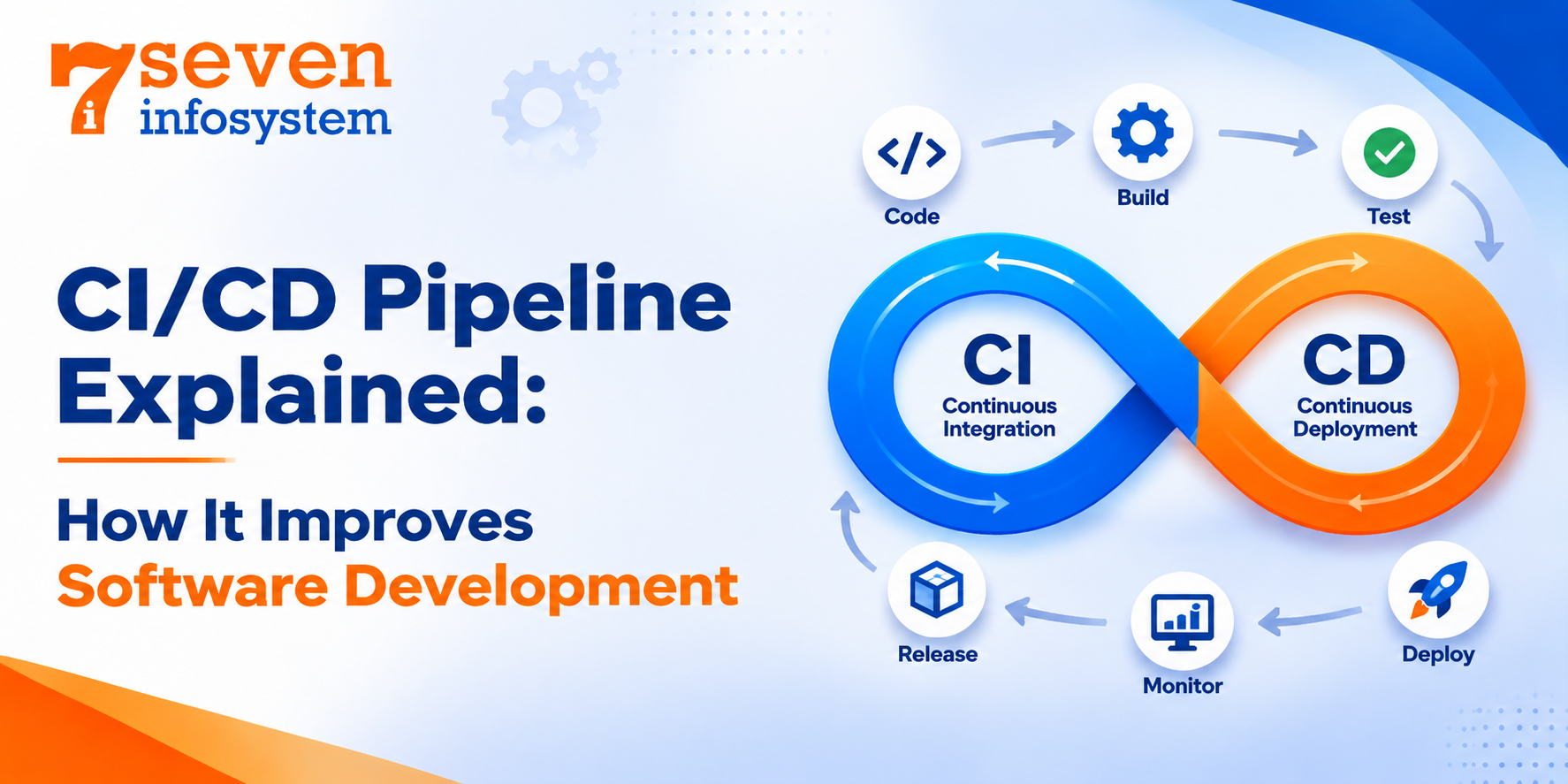
CI/CD Pipeline Explained: How It Improves Software Development
CI/CD Pipeline automates software development, testing, and deployment to improve quality, speed, and reliability.
Introduction
A CI/CD Pipeline plays an important role in modern software development by making release days less stressful and more predictable. Developers often face the same challenges: code that works on a laptop sometimes fails when deployed to a production server. Bugs appear just hours before deadlines. Meanwhile, someone spends the entire night copying files manually and hoping everything goes smoothly. Such practices are still common among development teams. However, they waste valuable time, money, and resources.
A CI/CD Pipeline changes this entire process. Instead of treating every release as one big, risky event, it turns building, testing, and deploying code into a routine. This automated process runs whenever a developer makes a change. As a result, teams can identify problems early and release updates more confidently. Moreover, developers spend less time fixing deployment issues and more time building new features. This also helps businesses improve their Software Development Process and deliver better results.
In this guide, we’ll explain what a CI/CD Pipeline is and how it works step by step. Additionally, we’ll explore popular tools, key benefits, and common challenges. For example, you'll learn how automation improves testing, reduces deployment errors, and supports faster software releases. Whether you run a startup, manage a development team, or simply want to understand DevOps, this guide will help you see how everything fits together.
What Is a CI/CD Pipeline?
A CI/CD pipeline is a set of automated processes starting from code being committed by a developer to the point of application becoming available. It checks, tests and packages code, in many cases, it even deploys the changes automatically to users.
The term consists of two concepts that complement each other: Continuous Integration (CI) and Continuous Delivery / Continuous Deployment (CD). Now let's examine each of them.
Continuous Integration: Catching Problems Early
The process of Continuous Integration is associated with frequent merges of code. In contrast to developing code on a branch throughout several weeks, developers merge their changes to a shared repository several times a day, and an automatic build and testing follow each of these changes.
This approach provides an opportunity to detect any problems almost immediately, when the code is still fresh in the head of the developer. This differs greatly from discovering issues three weeks later when there were five people who worked on the same code, but no one knows the reason for some specific code lines anymore.
It's like proofreading a book page after page and not 400 pages at once.
Continuous Delivery: Always Ready to Release
The Continuous Delivery Flow begins right after integration is complete. When the code passes all the tests, it is then packaged and deployed to an environment that mimics the production environment closely such as a staging server. The code is always in a state ready to be released.
The critical point in this approach is that human intervention is needed in the end. A product manager or team leader examines the build and clicks a button to release it to production. This works best for companies which require sign-off from the compliance or marketing perspective.
Continuous Deployment: Releasing Without Waiting
Continuous Deployment takes it one step further. Any change that passes through all the automated tests is deployed to production immediately. No manual approval or waiting for the release window required.
For a company to implement a Continuous Deployment Pipeline, it is important to have a great deal of confidence in your tests since there is no human gate in front of you before you go live. Companies like Netflix and Amazon deploy code to production many times per day. For small companies, it is something they develop as their tests mature.
Where It Fits in the Software Development Lifecycle
The Software Development Life Cycle is an overall term which describes the stages from planning and designing up to coding, testing, releasing and maintaining the software. Traditionally, these steps had been performed sequentially, with significant intervals between each other. The CI/CD cycle integrates three last steps in one circle which works constantly.
This cycle does not change the steps of planning and designing at all, but only makes the intermediate part of the process.
How Does a CI/CD Pipeline Work?
Now that we have understood the concept, let us now understand the actual working of the process when the developer pushes the code. All pipelines follow a common workflow although the tools used by them may vary.
The Main CI/CD Pipeline Stages
The following are the usual CI/CD Pipeline Stages:
1. Source stage Source stage The entire process starts from the point where the developer pushes the code into the version control software like Git. This push event serves as the trigger for the process to begin.
2. Build stage Build stage The process now takes the latest code that was pushed in Stage 1 and compiles it to make it runnable. It could be a JAR file if it is a Java-based application. Similarly, in case of a web application, it would be JavaScript files bundled together. In modern applications, it is a Docker image. If the code does not compile then the process ends here itself.
3. Test stage Automated testing and regular Software Testing and Maintenance help teams identify bugs and improve application reliability.
4. Staging stage Once the code passes the test stage, it is moved into a staging environment which is very close to production and in which team members can review new features and do additional testing.
5. Deploy stage Finally the code is deployed into production. It may happen either automatically or after some manual confirmation depending on your chosen approach. Many teams employ partial deployment techniques at this stage: for example deploy to 5% of all customers, observe the errors and if there are no errors – deploy to all users.
6. Monitor stage Not everything ends with deployment to production. In order to fix possible problems, monitoring of errors, response time and user behavior takes place. Rollback is always available as a separate procedure with one command.
A Simple CI/CD Workflow Example
Let’s understand how a CI/CD Pipeline works through a practical example. Consider a small development team working on a food delivery application.
For example, Priya, a developer on the team, fixes a bug related to an unresponsive checkout button. She commits her changes to GitHub and creates a pull request. Within seconds, the CI/CD pipeline starts automatically. First, it builds the application, runs 800 unit tests, and performs security checks on the code. Fortunately, everything passes within six minutes.
Next, her colleague reviews and merges the changes. As a result, the pipeline runs again against the main branch and builds the application. The updated container is then deployed to the staging server. Meanwhile, the QA lead checks the checkout functionality to ensure everything works correctly. Once the changes receive approval, the fix becomes available to users that same day.
This is a practical example of a CI/CD Workflow Pipeline in action. Moreover, nobody needs to email files, log into servers manually, or work overtime. Because every step is automated, the team saves time and reduces deployment errors. If any test fails, the issue immediately appears as a red mark in Priya’s pull request, allowing her to fix it before the changes reach production.
Automated Build and Deployment in Practice
At the core of everything discussed above lies Automated Build and Deployment. Every action that was previously done manually, whether it be compilation, moving files around, restarting servers and changing configurations, is written in a script and executed by a computer.
There is one basic reason why this is important: computers never get tired or forget to do anything. A manual deployment checklist with 30 items will, sooner or later, fail one check – and most often it will happen at the most inconvenient time. Software Deployment Automation eliminates that problem, as the whole process will repeat in the exact manner each time it runs.
It also results in deployments becoming automatically documented by virtue of pipeline file.
Popular CI/CD Tools Teams Rely On
The answer is not straightforward. Depending on your source code storage location, budget, and the level of freedom of choice, different tools are better for you. Below you can find some most popular CI/CD Tools currently.
GitHub Actions CI/CD
GitHub Actions CI/CD has become a favourite, especially for teams already storing code on GitHub. You define workflows in simple YAML files inside your repository, and they run whenever something happens, such as a push, a pull request or a scheduled time.
The key advantage is the availability of a marketplace filled with ready-to-use actions. Want to deploy your application to AWS, post a notification to Slack or conduct a security analysis? Most likely there is an action which will allow you to do it. This tool is suitable for small and medium-sized teams who want to avoid any extra server management.
Jenkins
One of the oldest and most flexible CI/CD Tools is Jenkins. Being open-source and self-hosted, it is equipped with a vast ecosystem of extensions. Enterprise teams prefer it because of great customizability. The downside is that Jenkins requires a lot of maintenance efforts from the developer's side.
GitLab CI/CD
GitLab features CI/CD as part of its platform, so all your code, issues, and pipelines reside in one location. It is a great choice for those who are looking for an all-in-one solution, as well as for companies that would rather have their own set of tools.
Other Notable Options
CircleCI is recognized for its fast build times and efficient caching, Azure DevOps works best for Microsoft software, while Argo CD is the choice for Kubernetes deployments. As you look for CI/CD tools, consider the location of your codebase first – integration will trump the most comprehensive list of features every time.
Benefits of CI/CD Pipeline for Development Teams
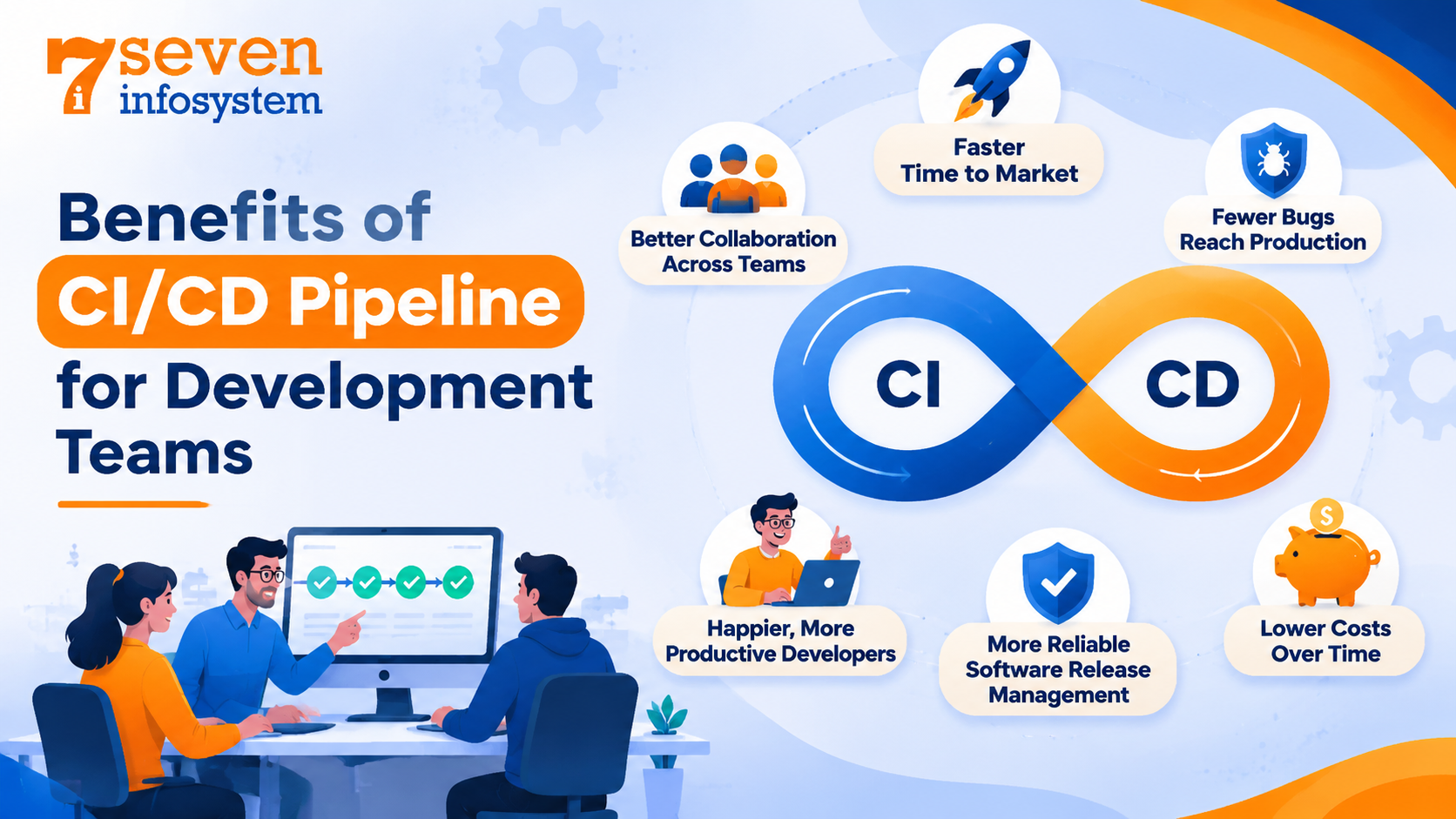
So why are many companies investing in this? The Benefits of CI CD Pipeline adoption reach beyond the engineering team.
Faster Time to Market
When releasing is cheap and safe you release often Features that once waited for a quarterly launch can reach users in days This lets businesses respond to customer feedback quickly and stay ahead of competitors who are still stuck in release cycles
Fewer Bugs Reach Production
Because every change is tested automatically most problems get caught long before customers see them And since each release contains only a small set of changes it's much easier to figure out what went wrong when something does slip through Hunting for one bug in 20 lines of code beats searching through 20,000
Happier, More Productive Developers
Nobody enjoys repetitive manual work Software Development Automation frees developers from tasks, like running tests by hand or preparing release builds They get quick feedback on their code and can focus on creative problem solving instead of firefighting
Better Collaboration Across Teams
A DevOps CI/CD pipeline removes the wall that keeps developers who write code separate from operations teams who run code. Both groups use the pipeline to see the same progress and chase the same goals. When something fails the pipeline shows the problem and all people work together to fix the problem.
More Reliable Software Release Management
Software Release Management involved spreadsheets, release schedule and lengthy discussions prior to any change. With pipeline, everything is automated and you can track everything that happened during the release process: the version of the product in use, changes done in it, who approved the changes and when was it done. Reverting is simple as the previous version of the software is saved.
Lower Costs Over Time
Setting up a pipeline takes some effort but it pays off. Bugs caught early are far cheaper to fix than bugs found by customers. Less downtime protects revenue. The hours your team once spent on manual releases can go into building things that actually grow the business.
Common Challenges and How to Handle Them
CI/CD is not a miracle process, and problems definitely arise during it. Knowledge about them helps to cope with them more easily.
Slow Pipelines
If your pipeline takes an hour to execute, developers will tend to neglect it or will try to submit changes in batches – thus destroying the whole purpose of using CI/CD. Solve the problem by running tests in parallel, caching dependencies and dividing large sets of tests into smaller and faster ones. The desired goal should be getting the feedback within 10 to 15 minutes.
Flaky Tests
Tests that pass one moment and fail the next destroy trust in the pipeline. When people start ignoring builds because it is probably just that flaky test again real bugs slip through. Track unreliable tests, fix them quickly. Remove them until they can be repaired.
Security Gaps
There is always some kind of sensitive information in pipelines such as API keys, database passwords or cloud credentials. Secrets should be stored in the secrets manager, and not in the code. Implementing proper Software Security practices helps protect applications, sensitive information, and development environments.
Team Resistance
Some people prefer the old way of doing things. Start small, automate one project, and let the time saved do the convincing.
Best Practices for Getting Started with CI/CD Automation
If a team plans to introduce CI/CD Automation these practices will help build something that lasts.
Commit Small and Often
Small changes are easier to review, test and roll back. Encourage developers to merge code at least once a day rather than holding onto large branches.
Keep the Main Branch Healthy
Think of a main branch that doesn't compile as an emergency situation. If there's a failure of the build, you should fix the problem before working on a feature. A healthy main branch allows the team to deploy anytime.
Invest in Good Tests
The quality of your testing determines how reliable your pipeline is. Strive for an optimum balance between quick unit tests and some more elaborate integration tests. In terms of coverage statistics, what is really important is that your tests cover the areas that may hurt your users. Effective Cross-Platform App Testing helps ensure applications work consistently across different devices and operating systems.
Build Once, Deploy Everywhere
Make the build artifact once and promote it throughout all phases - from testing to staging and then production. Each rebuild increases the possibility that the build artifact is not the one that was tested.
Make Environments Consistent
Employing containerization or tools such as Terraform allows ensuring that your staging environments are as similar to your production environment as possible. This way, you do away with the "but it worked on my machine" excuse.
Measure and Improve
Collect several metrics: deployment frequency, lead time to production, release failure rate, and mean time to restore. These four metrics have been popularized by the DORA research initiative. They provide a clear view of your organization's capability to deliver software and point out where improvement is needed.
Conclusion
A CI/CD pipeline changes how software is released. It turns what used to be an error-prone process into something smooth and predictable. Of big chaotic updates teams merge code regularly. They test it automatically. Move it through clear stages until it reaches production. This way problems are found early and new features go out faster. Teams can focus on work that really makes a difference.
You don’t need a budget or a team of experts to start. Tools like GitHub Actions CI/CD, GitLab and Jenkins let you set up a pipeline in just a few hours. Begin with builds and tests. Show how it helps. Then keep adding more as you go.
Teams that release often and, with confidence aren’t luckier. Choosing an experienced Software Development Company can help businesses implement reliable development practices and deliver quality software
FAQs
1. What is the main purpose of a CI/CD pipeline?
Its main purpose is to automate building, testing and releasing code so teams can ship updates faster and with fewer errors.
2. What is the difference between continuous delivery and continuous deployment?
Continuous delivery keeps code ready to release but waits for manual approval. Continuous Deployment releases every passing change to production automatically.
3. Which CI/CD tool is best for beginners?
GitHub Actions CI/CD is a great starting point if your code is on GitHub, since it's free for public projects and uses simple YAML files.
4. Do small teams really need a CI/CD pipeline?
Yes. Even a one or two-person team saves time and avoids costly mistakes by automating tests and deployments.
5. How long does it take to set up a CI/CD pipeline?
A basic pipeline with builds and tests can be ready in a few hours, while a fully automated setup usually develops over a few weeks.