10 Essential Steps in the UI/UX Design Process
Explore 10 essential UI/UX design steps, from user research and wireframes to prototyping, testing, and creating engaging digital experiences.
Introduction
A good digital product cannot be made by paying attention only to its aesthetic side. It should be also user-friendly, usable, and useful for its targeted audience. That is why the UI/UX design process becomes important. Every single step from user analysis, problem definition, prototyping, design testing, to the launch of the product makes the digital product better.
Whether you’re creating websites, mobile applications, SaaS solutions, or e-commerce products, the right UI/UX design service can help you minimize design mistakes, improve usability, and create a more engaging user experience.
Those companies who do not have their own design teams can get all these services from professional ui ux design companies.
What Is the UI/UX Design Process?
The UI/UX design process is a systematic approach to creating digital products that meet user needs and business objectives. UX (User Experience) focuses on how users interact with and experience a product, while UI (User Interface) focuses on the visual and interactive elements users see and use.
Typically, the process begins with user research to understand user needs and identify key problems. Next, designers create user personas and map user journeys. They also develop information architecture, sketch wireframes, and build prototypes before finalizing the visual design. Additionally, usability testing and user feedback help designers identify issues and improve the overall experience before development and launch.
A well-planned UI/UX design process ensures that design decisions come from real user data rather than assumptions. As a result, businesses can create more usable, engaging, and user-friendly digital products.
Understanding UI and UX Design
UX design focuses on the complete experience a person has while using a digital product. It considers usability, navigation, information architecture, accessibility, user needs, and expectations. It also ensures that users can complete their tasks smoothly and efficiently.
On the other hand, UI design focuses on the visual and interactive layer of a product. Typography, color schemes, buttons, icons, spacing, forms, images, animations, and layouts all contribute to an effective user interface. Additionally, a well-designed UI helps users understand and interact with a product more easily.
Although UI and UX represent different areas of design, they work closely together. For example, an attractive interface may still fail if users cannot understand how to navigate or use it. Similarly, a highly functional product may struggle to attract users if its interface looks outdated. Therefore, the best UI/UX design combines usability, functionality, accessibility, and visual appeal to create a seamless and engaging user experience.
Why the UI/UX Design Process Matters
Following a systematic design process allows for identifying the true needs of the user even before the team spends much time and effort on developing the product.
Effective user experience design could be beneficial not only for customers and their satisfaction but also for companies in terms of increased engagement and conversion rates.
It is particularly relevant in web ui ux design when the users are using the product with different screens, browsers, devices, etc.
Key Stages of UI/UX Design
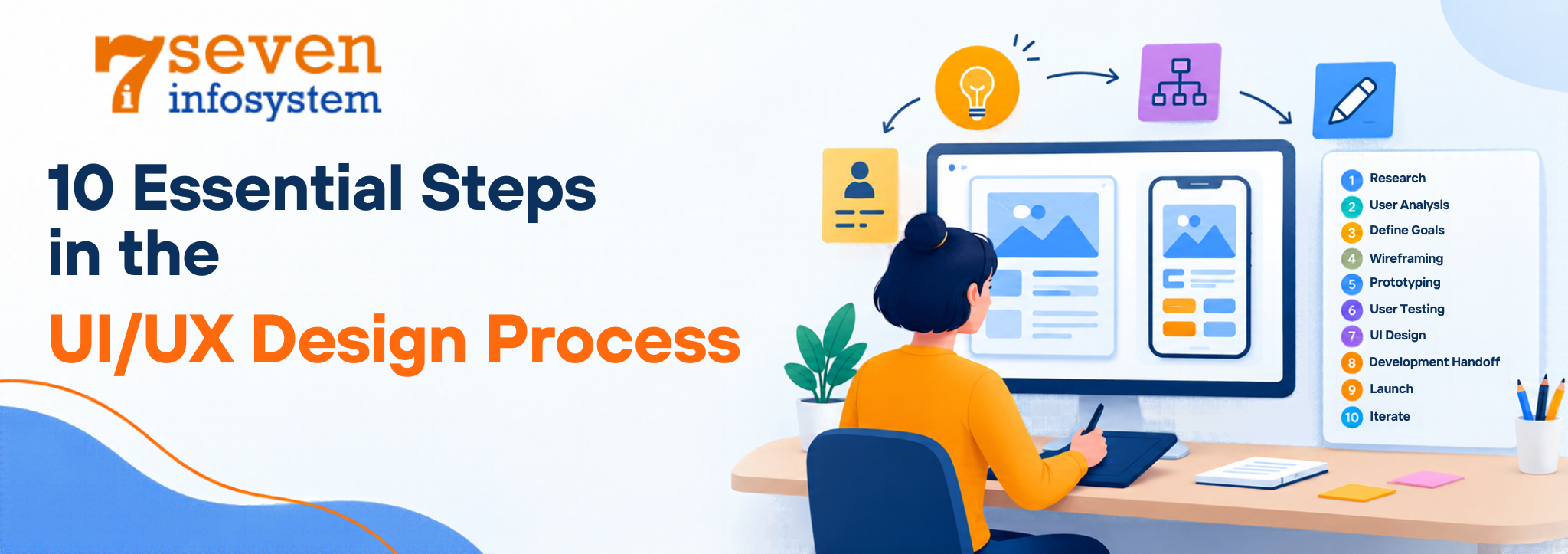
I have seen that even though the exact workflow can differ among companies and ui/ux design projects most processes contain research problem definition, user personas, journey mapping, information architecture, wireframing, prototyping, UI design, testing and iteration. It is a list but it covers the core of any design effort.
These stages are not always strictly linear. Designers often move backward and forward between stages as new user insights emerge.
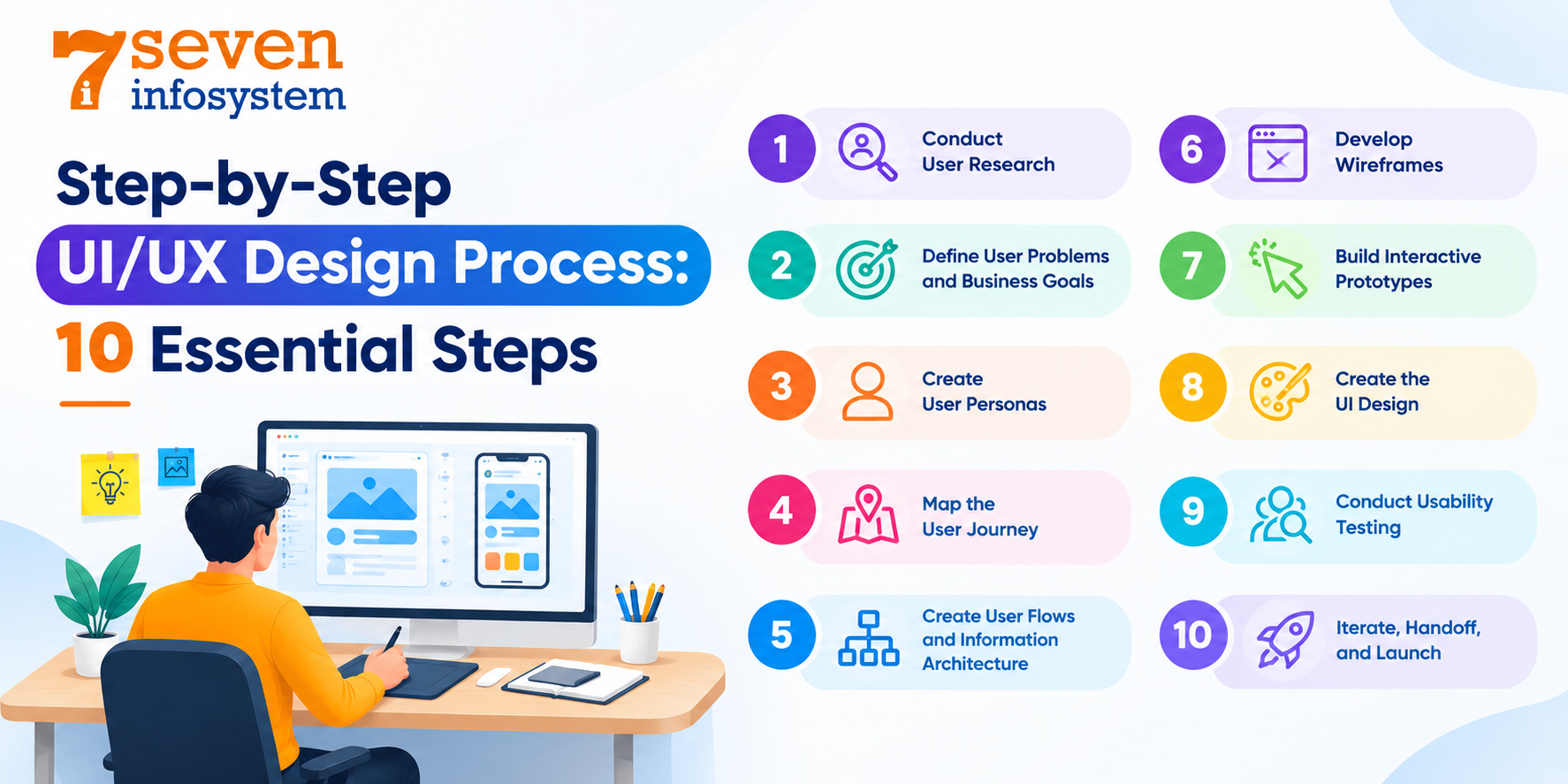
Step-by-Step UI/UX Design Process: 10 Essential Steps
The following ten steps provide a practical framework for moving from an initial product idea to a tested and refined digital experience.
Step 1: Conduct User Research
The first step is to get to know the people who will use the product. Designers collect details about users. What they want, how they act, what problems they face, what they like and what they expect.
They do this through kinds of research. This can be talking to users one- on-one, sending out questionnaires looking at what competitors are doing, testing how easy the product is to use, checking website data or just watching people as they use the product.
For example, a business using an ERP system might discover that employees lose time because important business processes require too many unnecessary steps. Such findings can help improve workflows, streamline operations, and make the overall ERP experience more efficient.
Step 2: Define User Problems and Business Goals
After gathering the research data, the next stage is problem prioritization. The designers structure the findings in problem statements and recognize the areas where improvements can be made.
But at the same time, the goals of the company need to be taken into account. The product may need to get more registrations, retain customers, reduce support tickets, or make some workflow easier.
UX that works connects users' requirements to business goals.
Step 3: Create User Personas
Personas are the result of research conducted to identify the key target audience of users. Personas describe features like their goals, motivations, behavior, pain points, and common requirements.
Designers use personas to base their decision-making process on the needs of users. The question is not “Which design is better?” but rather “Which solution simplifies the user’s task?”
Personas become especially helpful for designers working on complex ui/ux design projects.
Step 4: Map the User Journey
A user journey map illustrates the different stages users go through when interacting with a product or service.
For example, an online shopping journey may include discovering a product, comparing options, viewing product details, adding an item to a cart, checking out, and receiving an order confirmation.
Mapping these interactions helps identify friction points, unnecessary steps, emotional challenges, and opportunities to improve the overall experience.
Step 5: Create User Flows and Information Architecture
The user flows help visualize the user path through the digital product and achieve particular tasks.
The information architecture helps organize information in the way that allows the user to easily find what he or she needs.
For example, in the case of a mobile banking app, the user flows can represent the process of money transfer. In the case of a website, the user flows can represent the user path from home to products and further to checkout.
Step 6: Develop Wireframes
Wireframes are layouts that show the structure and function of a page or screen. I see that wireframes usually focus on where content goes, how navigation works, the order of elements and overall function rather than on detailed colors or visual style.
Low‑fidelity wireframes let designers experiment quickly. I find that low‑fidelity wireframes help spot problems before spending time on detailed visual design.
Using the tools, for UI UX design teams can create, review and modify wireframes together.
Step 7: Build Interactive Prototypes
Prototypes transform static layouts into interactive experiences. They allow designers, stakeholders, and users to experience how screens connect and how interactions work.
Prototypes can range from simple clickable wireframes to highly detailed interfaces that closely resemble the final product.
Figma ui ux design workflows are commonly used for making prototypes, sharing designs, getting feedback and working with team members.
Step 8: Create the UI Design
Once the UX structure has been checked the designers begin to create the interface. In this step the designers work on typography, colors, icons, buttons, cards, forms, pictures, spacing, grids and many other visual parts. Design is the heart of this work.
A design system can help keep everything the same on screens and products. Using components and reusable patterns also helps teams grow the interface easily. Design consistency is key.
The outcome should look good. Also stay functional, readable, accessible and consistent. Design must balance beauty and usability.
Step 9: Conduct Usability Testing
Usability testing involves observing real or representative users as they interact with the design. Participants may be asked to complete tasks while designers identify areas of confusion or difficulty.
Testing can reveal issues that designers and stakeholders may overlook because they already understand how the product works.
Common findings may include unclear navigation, confusing labels, difficult forms, poor information hierarchy, or unnecessary steps.
Step 10: Iterate, Handoff, and Launch
The last step is not just giving the design to someone. Thinking the job is done. Designers look at test results, fix things, write down details about the design and work with programmers while they build it.
Once the product is out numbers, what people say, help requests and how people use it can show ways to get better.
A user interface and user experience process never stops. Products need to keep changing as people want the tools. What the business needs all change.
Essential Elements of a Successful UI/UX Design Process
A successful process requires more than screens. Several fundamental principles help ensure that the final product provides an experience.
User-Centered Design
User centered design emphasizes users. Any decision made about the design has to take into consideration the requirements of users in terms of behavior, goals and accessibilities.
Research, testing, and feedback should influence the design rather than relying entirely on internal assumptions.
Consistent Visual Design
Visual consistency allows users to learn the interface faster. Similar functions need to look and feel alike across the entire product.
The consistent use of typefaces, colors, buttons, margins, icons, and components promotes familiarity and lessens the user’s cognitive burden.
A design system can write down these rules. Help designers and developers work together more smoothly.
Responsive and Accessible Design
Modern products need to work across different devices and screen sizes. Responsive design allows layouts to adapt to desktops, tablets, and smartphones.
Accessibility is equally important. Designers should consider readable typography, sufficient contrast, keyboard navigation, alternative text, clear labels, focus states, and other accessibility requirements.
Inclusive design ensures that more people can use the product effectively.
Usability and User Experience
Usability measures how easily users can understand and finish tasks. A good experience should feel intuitive, work efficiently and be forgiving. Designers should cut out complexity. Designers should give feedback. Designers should use patterns. Designers should help users recover from mistakes.
Common UI/UX Design Tools
Choosing the right ui/ux design software can improve collaboration, speed up workflows, and simplify prototyping and testing.
Tools for User Research
Research tools help designers collect and organize qualitative and quantitative information. Surveys, interview platforms, analytics systems, online whiteboards, and research repositories can all support the discovery phase.
The best tool depends on the research method, project size, team requirements, and type of information being collected.
Tools for Wireframing and Prototyping
Wireframes and prototypes help software development teams understand the product structure, visualize user interactions, and create interactive designs before the actual development stage begins.
Figma is one of the popular options for collaborative interface designing and prototyping. There may be other options which can be used based on team workflow and design process.
The following are some factors that need to be considered when choosing a ui/ux design platform.
Tools for UI Design and Collaboration
UI design tools support high-fidelity interface creation, design systems, component libraries, feedback, and developer collaboration.
For teams managing multiple products, centralized collaboration can make it easier to maintain consistency and reduce duplicate work.
How User Research Improves the Final Product
User research provides the foundation for effective UX decisions. Instead of designing based only on personal opinions, teams can use real evidence to understand how people think and behave.
Identifying User Pain Points
The research process will help find user problems. This may consist of hard-to-understand navigation, slow processes, vague information, complicated forms, or lack of functionality.
Solving problems early in the process will avoid expensive fixes at the end of the development process.
Understanding User Behavior
Understanding user behavior shows that users do not always act the way teams predict.
Research can show how users navigate, which information users value, where users pause and which features users skip. Understanding real user behavior lets designers build experiences that match usage patterns.
Validating Design Decisions
Research and usability testing help make sure that ideas are correct before a product is completely built. A model can be tried out with people to see if the way they move through the product, the steps they take or the things it does are easy to understand. This check helps lower the chance of creating features that people have trouble using or don't really want.
UI/UX Design Process Best Practices
Following established best practices can make the design workflow more efficient and user-focused.
Keep the User at the Center
Every design decision should connect back to a user need, business objective, or validated insight. Avoid adding features simply because they seem visually attractive or technically interesting.
Test Early and Test Often
Testing is not something that should be done during the last step of the process. The prototype can be tested at an early stage in order to catch some structural flaws in advance.
Frequent feedback makes the way for constant improvement.
Design for Accessibility
Accessibility must be thought about from the start of being left for the end. Inclusive design helps users, with abilities, different devices, different environments and different levels of technical experience.
Maintain Design Consistency
A consistent design system improves usability and development efficiency. Teams should maintain shared standards for components, typography, colors, spacing, interaction patterns, and accessibility.
From User Research to Final Product: The Complete UI/UX Journey
The complete journey connects research, strategy, design, testing, and development into one continuous process.
Turning Research Insights Into Design Solutions
It is through research findings that team members are able to discover real-life problems and create practical solutions out of them. It is at this point that personas, journey maps, and user flows become helpful in providing the way forward in developing those solutions.
From Wireframes to High-Fidelity Prototypes
With wireframes, the team comes up with the overall look of the product in terms of how it functions. It is through the use of prototypes that visual elements and interactions are developed in a realistic manner.
From Usability Testing to Product Launch
Usability testing identifies problems that need improvement before implementation. Once the design is refined, designers collaborate with developers to bring the experience to life and continue monitoring performance after launch.
Conclusion
The ui/ux design process is a continuous journey that begins with understanding users and ends with delivering and improving a real product. Research provides the foundation, UX strategy defines the experience, wireframes establish structure, prototypes validate interactions, and UI design creates the visual language.
Whether a company works with an internal team or a professional ui/ux design agency, following a user-centered process can lead to more usable, accessible, and effective digital products.
For organizations looking for a professional ui/ux design agency in india options, it is important to evaluate more than visual portfolios. Look for teams that demonstrate strong research capabilities, strategic thinking, usability testing, responsive design expertise, and experience solving real business problems.
Ultimately, successful UI/UX is not about creating screens that simply look good. It is about creating experiences that help users accomplish their goals while supporting the objectives of the business.
FAQs
1. What are the main steps in the UI/UX design process?
The main steps typically include user research, problem definition, persona creation, journey mapping, user flows, wireframing, prototyping, UI design, usability testing, and iteration. The process can vary depending on the product, team, users, and business requirements.
2. Why is user research important in UI/UX design?
User research helps designers understand user needs, behaviors, goals, and pain points. It provides evidence that can guide design decisions and reduce the risk of creating features or experiences that do not solve real user problems.
3. What is the difference between UI and UX design?
UX design focuses on the overall experience, usability, structure, and functionality of a product. UI design focuses on the visual and interactive interface, including typography, colors, buttons, icons, layouts, and other visual elements. Both work together to create an effective digital product.
4. Which tools are commonly used for UI/UX design?
Common tools include platforms for user research, wireframing, prototyping, interface design, collaboration, and developer handoff. Figma is one commonly used solution for interface design and prototyping, while the right tools for ui ux design depend on the team's workflow and project requirements.
5. How does usability testing improve a digital product?
Usability testing allows designers to observe users completing real tasks. It can reveal navigation problems, unclear content, confusing interactions, and other usability issues. Designers can then refine the experience before and after launch.