Product
Cloud-Based POS System: Features, Benefits, and Business Applications
Discover how a Cloud-Based POS System simplifies billing, inventory management, sales tracking, and daily business operations.
Introduction
Picture this: you visit a store and have all your items billed in less than a minute. Behind the scenes, however, several important tasks happen simultaneously. Stock levels are updated, sales are recorded, and business owners can receive transaction details directly on their smartphones, even while standing at the checkout counter.
That's how the modern checkout process works with a Cloud-Based POS System.
For many years, businesses relied on traditional cash registers and personal computers to manage daily transactions. All business data was stored on a single computer. However, technology has changed significantly over time. Today, many businesses, restaurants, and service providers are adopting a Cloud-Based POS System because it offers greater flexibility, efficiency, and convenience.
Moreover, cloud technology allows business owners to access important information from almost anywhere with an internet connection. For example, they can monitor sales, check inventory levels, and manage daily operations without being physically present at their stores.
A Cloud-Based POS System does much more than process customer payments. It also helps businesses simplify billing, improve stock management, track sales performance, and deliver better customer experiences.
In this article, we will explain what a Cloud-Based POS System is, explore its essential features, discuss its major benefits, and examine how different industries use this technology to manage their business operations more effectively.
What Is a Cloud-Based POS System?
Point-of-sale (POS) refers to the point where customers pay for products or services. The system processes the transactions that include the record of the sale, the processing of the payment, and recording the goods sold.
A cloud POS system performs all these functions while storing business data online. Businesses can also use customized software solutions to manage their sales, payments, and daily operations more efficiently. One can access his/her data from the cloud using the internet and a device such as a tablet, a laptop, or even a mobile phone.
To be more specific, the software used in a cloud-based pos system operates online rather than being installed on a particular device.
How It Differs from a Traditional POS
Traditional point-of-sale software systems are also referred to as on-premise or legacy systems. You purchase the software package, install it in the premises, and manage it independently. The updates require hiring someone to perform the task, and you have no choice but to generate reports only from the main computer.
This is how a cloud-based point of sale software differs:
You pay monthly/annually for its service as opposed to purchasing one huge fee upfront;
Updates occur automatically in the background without you doing anything;
All your data synchronizes in real time on all devices;
You can view sales, inventory, and employees' activities anywhere from your smartphone.
It may also be referred to as a web-based pos system or online pos system. The naming differs, but the meaning is the same – your checkout and your database are integrated by means of the Internet connection.
Who Uses It?
Basically any company selling goods and services can make use of the system. Smaller businesses such as boutiques, cafes, supermarkets, beauty parlors, drugstores, health clubs, and even food trucks have adopted the use of cloud pos software in their day-to-day activities. Big companies with branches adopt this as well since they can manage everything from one place.
Key Features of a Cloud-Based POS System
While different systems do not provide identical features, here is a list of basic features that the top cloud POS systems should have.
Real-Time Sales Tracking
Every transaction is registered right away. You will know which products sell better, which is the busiest hour of the day, and compare current performance with the previous week. The sales reporting feature incorporated in a good POS system will make it possible for you to make decisions regarding scheduling or promoting particular products much easier.
There is no need to wait for the end of the month to analyze your data because it becomes visible as soon as it emerges.
Inventory and Stock Management
Ran out of a hot seller? That is irritating to you and your clients. Being overstocked on products means money spent on items just sitting there. Efficient pos inventory management will help you overcome both of these issues.
Every time a product is sold, its quantity in the inventory gets automatically lowered. Low inventory alerts are available on many platforms to warn you about selling out your product. And some platforms can even create a purchase order for your supplier.
Retail inventory management software helps businesses manage large product catalogs, track stock levels, monitor product availability, and simplify daily inventory operations. You can track variations of the item like sizes and colors, transfer stocks between locations and perform fast stock counts using bar code scanner. When combined with efficient stock management software, it becomes much easier to maintain the proper stocks on your store shelves.
Billing and Payment Processing
Quick billing ensures less queuing and satisfied customers. Today’s advanced cloud-based billing software helps you generate invoices, offer discounts, bill splits, and also take payments in many different ways.
These usually include:
Credit and Debit cards
UPI and QR Code Payments
Mobile wallets
Tap & Pay contactless payments
Cash payments with automated change calculation
Digital receipts via email or SMS are also a nice feature. This will not only help you save on paper but also make sure that you have an easy way to collect customer contact information.
Multi-Store Management
Should you be in control of more than one outlet, this single point might serve as the primary reason for changing over. Your cloud POS system will synchronize all your stores with one single account. You will be able to compare results of different outlets, make price adjustments automatically in all outlets, and view stock levels in each one of them without having to call anyone.
Scaling business operations becomes easier with ERP software solutions that help businesses manage multiple locations, centralize operations, and improve overall productivity. The addition of another outlet will not mean installing another system completely anew but rather adding an outlet to the existing one.
Automatic Data Backup and Recovery
Suppose there is a power surge at your counter and all the information stored in the computer is erased in a split second.
Thanks to cloud technology, there is no chance of that happening. The automatic data backup and recovery feature allows you to store the data online in real time. In case of malfunctioning or loss of a device, you can easily log into another device and continue working from where you have stopped.
Reports and Analytics
Numbers mean nothing without an understanding of what they represent. Most systems come with a dashboard which includes:
Daily, weekly and monthly income
Best and worst selling items
Sales per employee
Busiest time periods
Margins of profit per product category
This helps to organize your promotions, change prices or better manage inventory. And you do not have to be a statistician to work with them – most graphs are understandable without much effort.
Customer and Employee Management
But a solid POS system should do more than just sell stuff. Customer profiles are available to know the purchase history and give loyalty bonuses to returning clients.
And for employees it is possible to generate individual login credentials and control their hours of work.
Integrations with Other Tools
You don't want to use your POS in a vacuum. You want point of sale software that can integrate seamlessly with your accounting programs, online storefronts, email marketing solutions, and delivery solutions. This way, you won't be spending any more time inputting information into multiple different systems and you'll have more time to run your business.
For many entrepreneurs, integrating POS systems with custom software development solutions can simplify business management, automate workflows, and improve operational efficiency.
Benefits of Switching to a Cloud-Based POS System
Features always look great on paper. However, what changes will occur once the system is switched? Here are some benefits owners tend to appreciate the most.
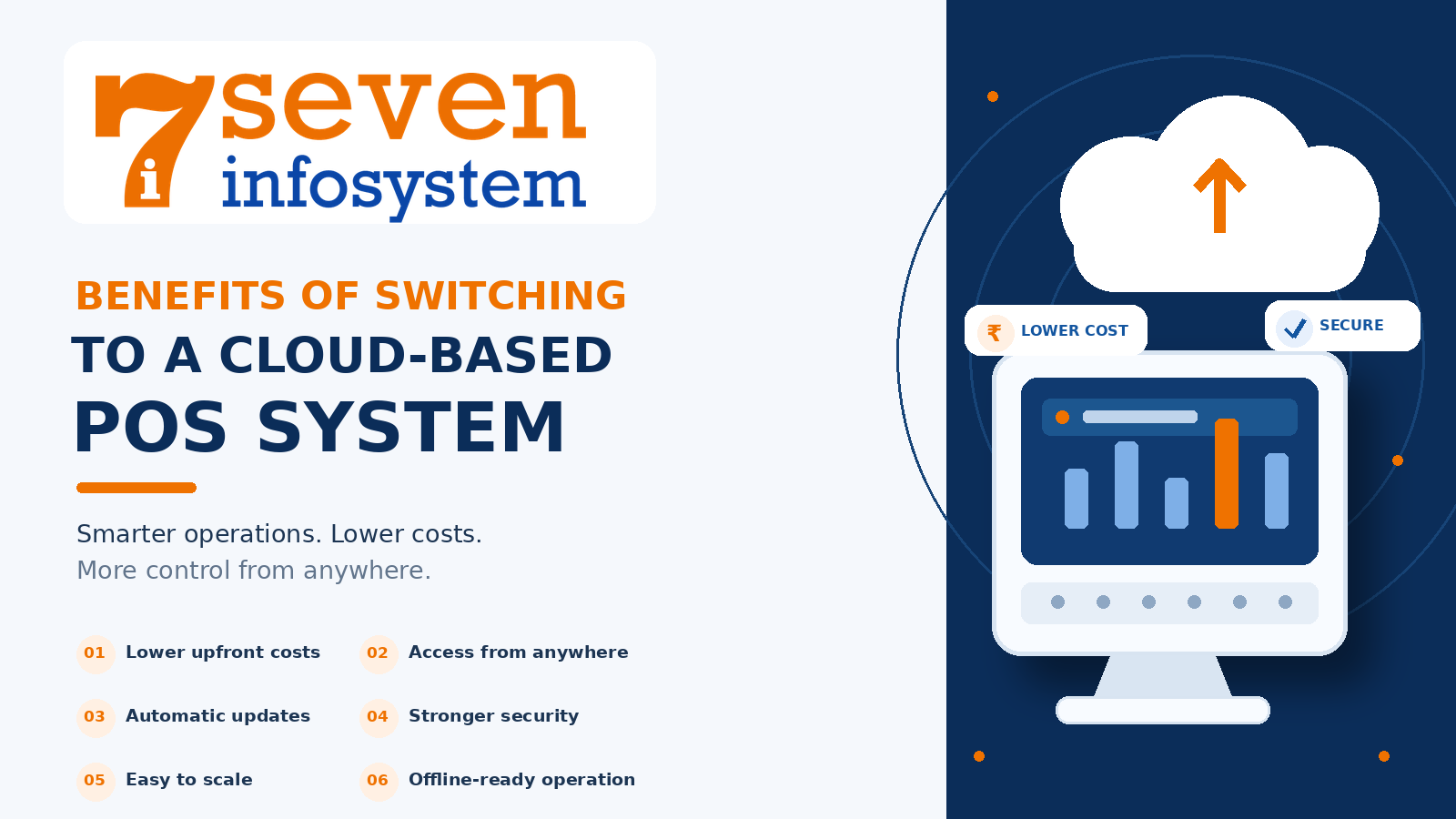
Lower Upfront Costs
Classic systems involve purchasing costly servers, paying for licenses, and dealing with high installation costs. A cloud-based POS solution requires only a regular monthly payment and can be installed on equipment you already have, such as a tablet or a laptop.
This approach allows smaller companies and startups to use professional tools without having to invest a considerable amount of money initially.
Access Your Business from Anywhere
One of the biggest advantages of cloud-based software solutions is the ability to access business data from anywhere, manage operations remotely, and stay connected with important business activities. Once you find yourself at home, on holidays, or visiting a supplier, you will be able to view the information available in your dashboard.
Those owners who previously spent hours staying late just to check the cash register and reports will appreciate this advantage the most.
Automatic Updates and Less Maintenance
There will be no need to update to a new version or deal with out-of-date software ever again, as the provider deals with all of this in the background. All you do is enjoy improvements on an ongoing basis.
Stronger Security
Of course, you may be concerned about storing your business information online. However, the company uses encryption, secure data centres, and security check-ups that would be too expensive for most small businesses. Payment by credit card is typically processed according to the accepted industry standards.
As far as security is concerned, cloud storage will most likely prove to be a better choice than the only computer in a backroom.
Easy to Scale as You Grow
Getting another register, adding another staff member, or even opening another location is simply a matter of a few clicks. No need to go out and get a new system each time you grow. As you grow, so does the system and all you need to do is pay for what you use.
Works Even When the Internet Drops
One common problem people have is whether the system works during times that the internet is down. Most of today’s systems now have offline capabilities, which allow you to continue taking payments until you have a connection again.
Business Applications of a Cloud-Based POS System
There are different uses for these systems in various organizations. The following is the way these systems are utilized in some common industries.
Retail Stores
The clothing stores, electronics stores, bookstores, and gift stores are involved in handling huge quantities of goods. Cloud retail pos software allows them to handle barcode system, variants, seasonal discounts, and returns without any complication.
The owner will be able to know which style and size are sold the most and order more before they go out of stock. In addition, if there are sales over the internet, stock inventory will be updated in both places and they would not face the problem of selling items that they do not have anymore.
Restaurants, Cafes, and Food Outlets
There is a fast pace in the food industry and the orders should reach the kitchen without any delay. Most of these systems have a table management facility, kitchen display, and split bill option.
The orders can be taken by the staff through a tablet on the table and immediately forwarded to the kitchen. The management can monitor the consumption of ingredients and calculate their profit.
Grocery Stores and Supermarkets
Grocery stores stock hundreds or even thousands of products, which can have expiration dates. Therefore, the exact count of stock is necessary. The cloud system will help them monitor their fast-moving items, control weighing scale items, and schedule their restocking periods for the busiest days such as weekends and festivals.
Salons, Spas, and Service Businesses
Since for a service business, the POS works as a booking system. The clients can be scheduled, reminded about the appointment, and billed for their services and goods all in one transaction. The business owner will be able to monitor the performance and commission of his employees.
Pop-Up Shops, Events, and Food Trucks
Since these systems work on tablets and phones, they become excellent for businesses that change their locations often. A food truck at a local festival or a shop at a weekend event can accept payments through cards and monitor their sales just as a stationary shop would do.
Franchises and Multi-Location Brands
Franchisees and business owners that have a chain of branches enjoy many advantages through centralized management. Menu items can be managed from the headquarters, monitor and compare all the operations in each branch.
How to Choose the Right Cloud POS Software
Given all the choices, choosing the appropriate one could become challenging. Here is what to consider to find the right software for you.
Does It Suit Your Industry?
The software that is great for a restaurant may not suit a clothing shop. Consider finding either the software tailored to your business needs or at least versatile enough.
Is It Easy to Use?
Your staff will use it every day, and if it's complicated, then errors will occur. Ask for a free trial and let your staff test the system.
What Hardware Does It Need?
Consider whether it is compatible with the equipment you have now. The software can either need its own equipment or work with a standard tablet and receipt printer.
How Strong Is the Inventory Feature?
If you sell physical products, product management and inventory management should be among your top priorities. Ensure that your POS system can manage product variations, stock alerts, product details, and inventory across multiple locations.
What Kind of Support Is Offered?
It is not always easy to tell when trouble might come. You will need a provider who offers reliable customer service through chat, phone calls, emails, or even a few useful guides on how to set up your point-of-sale system.
Is the Pricing Clear?
Make sure that you read the pricing details carefully. Some providers offer special services for an additional fee, such as extra cash registers, user accounts, or extra capabilities. Payment processing can also be more expensive at some providers. A bit more costly monthly fee without any extras usually pays off better.
Can It Connect to Your Other Tools?
Ensure that it can easily integrate with your accounting software, online shop, and marketing services.
Common Concerns About Moving to the Cloud
People always have worries when it comes to changes. Here are a few of the most frequently asked questions.
"How will I cope if my internet connection is slow?" Very few systems require much bandwidth. A standard broadband or data connection is sufficient, and the offline system takes care of you during brief outages.
"Will my data be protected?" Well-known cloud companies spend lots of money on security measures. They encrypt and back up your data, which is more secure than storing your data on one computer.
"How difficult is the transition?" Some providers provide assistance in importing your product lists and client details into the system. The installation usually does not take more than two days, and employees quickly get acquainted with it.
Conclusion
Operating a business can be tough without struggling against archaic systems. The cloud POS system allows you to have a full picture of your sales, inventory, employees and clients right from your mobile device.
It helps in reducing initial investment, keeping your data secure, self-updating and scaling up with your growth. No matter whether it is a solo boutique, a busy cafe or a retail chain that you own, it can help you in being more productive and making informed decisions.
All you need is to choose the one which is tailored according to your industry, budget and workflow. Don't forget to use trial periods to make an informed decision and ask for the necessary information. When you do that, chances are high that after that you will never want to go back.
FAQs
1. What is a cloud-based POS system?
It's a checkout and sales management tool that stores your data on secure online servers, so you can access it from any device with an internet connection.
2. Can a cloud POS work without the internet?
Many systems offer an offline mode that keeps sales running during outages and syncs the data once you're back online.
3. Is a cloud POS suitable for small businesses?
Yes. Low monthly pricing and the ability to run on existing tablets or laptops make it a practical choice for small shops and startups.
4. How secure is my business data in the cloud?
Reputable providers use encryption, secure data centres, and automatic backups, which often makes cloud storage safer than a single local computer.
5. Can I manage multiple stores with one system?
Yes. Most cloud POS platforms let you control pricing, stock, and reports for all your locations from one central dashboard.